PROPOSAL.BIZ FOR CLAUDE

Ask Claude. Get a Proposal.

Connect Proposal.biz to Claude and turn the conversation you're already having into a finished, branded client document. Describe what you need, Proposal.biz builds it, and a shareable link lands back in your chat. No dashboard, no template hunting, no copy-paste.
Ask Claude. <em class="hero-v2-accent-serif text-hv2-brand font-normal">Get a Proposal.</em>

Used by professionals at 100+ companies

Uffizio
Evoke Strategy
Charge&Go
Aktiv
Story99
Scribd
Prolexity
Hero
Accenture
Vyapar
Storyboard Films
Infosys
TCS
FinoWorks Technologies
Growlity
Uffizio
Evoke Strategy
Charge&Go
Aktiv
Story99
Scribd
Prolexity
Hero
Accenture
Vyapar
Storyboard Films
Infosys
TCS
FinoWorks Technologies
Growlity
Uffizio
Evoke Strategy
Charge&Go
Aktiv
Story99
Scribd
Prolexity
Hero
Accenture
Vyapar
Storyboard Films
Infosys
TCS
FinoWorks Technologies
Growlity

Why the Proposal.biz Claude Connector Exists

Claude already knows your client. Your documents shouldn't have to start from zero.

Your Best Thinking Happens in Claude. Your Documents Don't.

You've talked through the scope, the pricing logic, and the pitch angle with Claude. Then you open another tab and rebuild all of it by hand.

Copy-Paste Is Where Good Drafts Go to Die

Paste Claude's answer into a template and the next hour disappears into fonts, spacing, and a logo that won't sit straight.

The Deal Cools While You Format

Every hour between the discovery call and the proposal is an hour your client spends talking to someone else.

What Is the Proposal.biz Claude Connector?

The Proposal.biz Claude connector links your Proposal.biz account to Claude, so you can create client documents without leaving the chat. You tell Claude what you need, Claude passes the request to Proposal.biz, and Proposal.biz builds the real document using your logo, colours, pricing, and messaging from your content library. What comes back to Claude is a link to the finished document, sitting in your Proposal.biz account and ready to send.

That means the brief, the call notes, and the back-and-forth you've already had with Claude become a proposal, SOW, contract, or one-pager in a single step. Need a change? Ask Claude again and the same document updates, with the same link, so anything you've already shared always shows the latest version. Your client opens it on any device, reads it, and signs it right there.

For a connection that works across multiple compatible AI assistants or custom setups, explore the Proposal.biz MCP Server Connect feature.

Why Use Proposal.biz in Claude?

You do the thinking in Claude. Proposal.biz does the building, the branding, and the signing.

Speed: Stop Rebuilding What Claude Already Wrote

One prompt, one finished document. The draft you'd normally spend an afternoon assembling is ready before your coffee cools.

Brand: Every Document Looks Like You Made It

Your logo, colours, fonts, and tone come from your content library every time. No stray formatting, no generic AI look.

Momentum: Send While the Client Still Cares

Go from discovery call to a signable document in the same hour, while the conversation is still warm.

Simplicity: Nothing New to Learn

If you can ask Claude a question, you can create a proposal. No editor tutorials, no template library to dig through.
How to Set Up and Use Proposal.biz in Claude

claude.ai
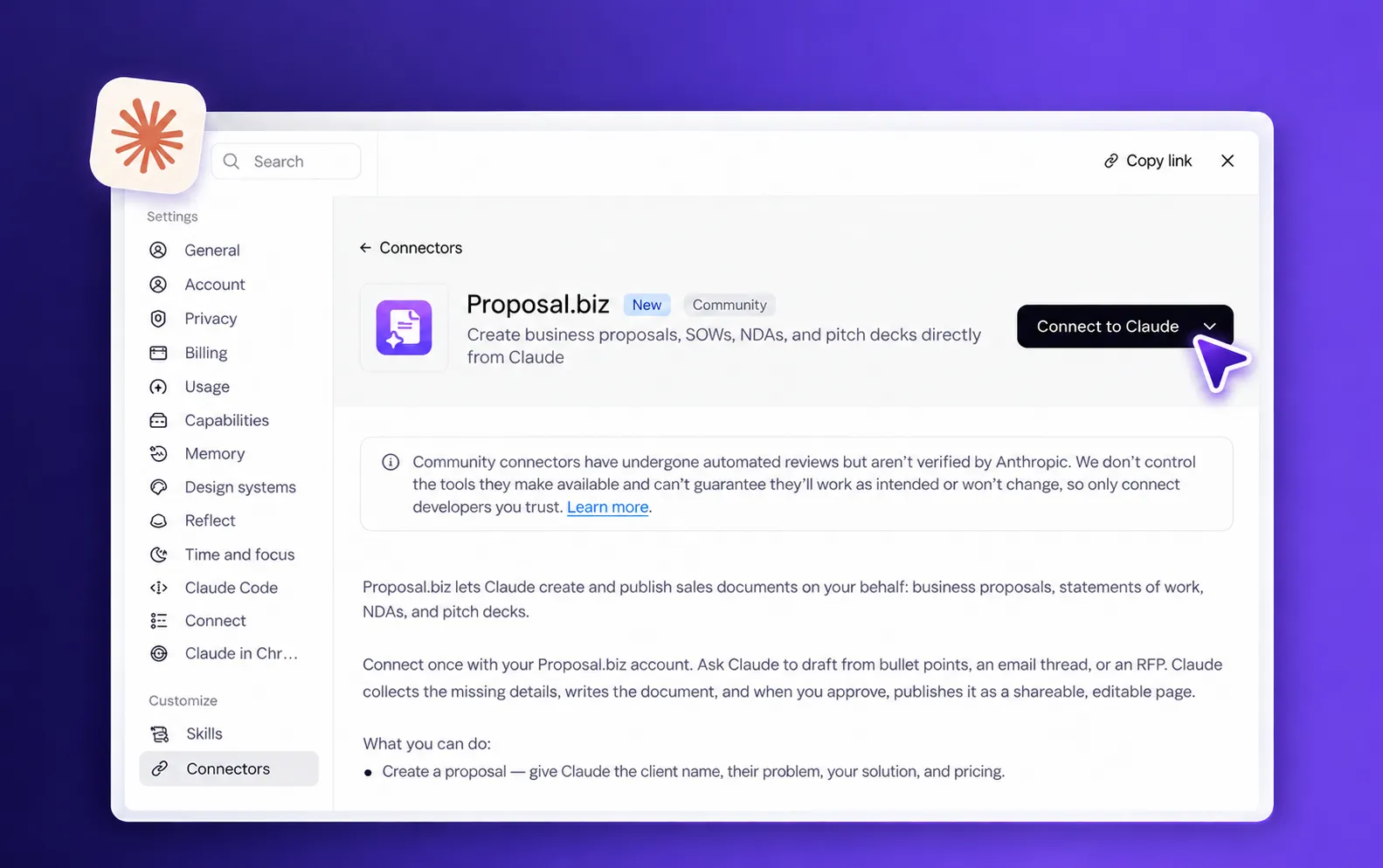
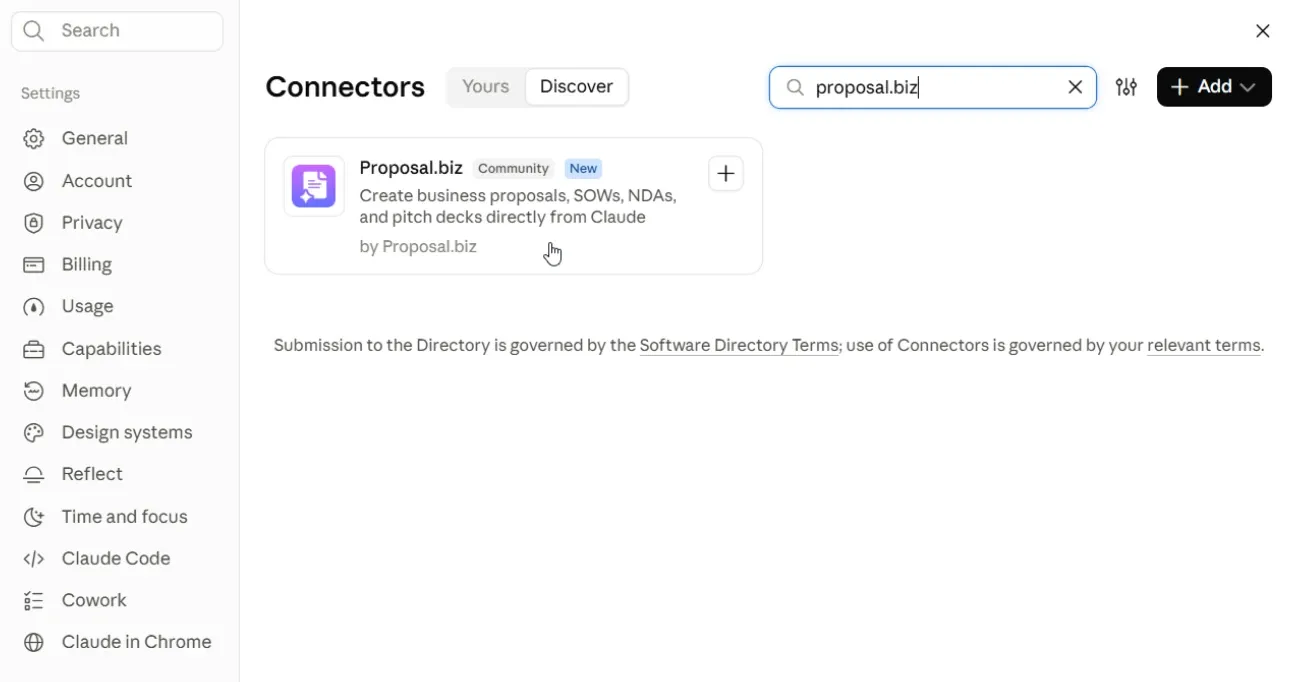
Search for the Proposal.biz Connector
Step 01

Search for the Proposal.biz Connector

  • Open Settings in Claude.
  • Go to Connectors and type "Proposal.biz" into the connector search.
claude.ai
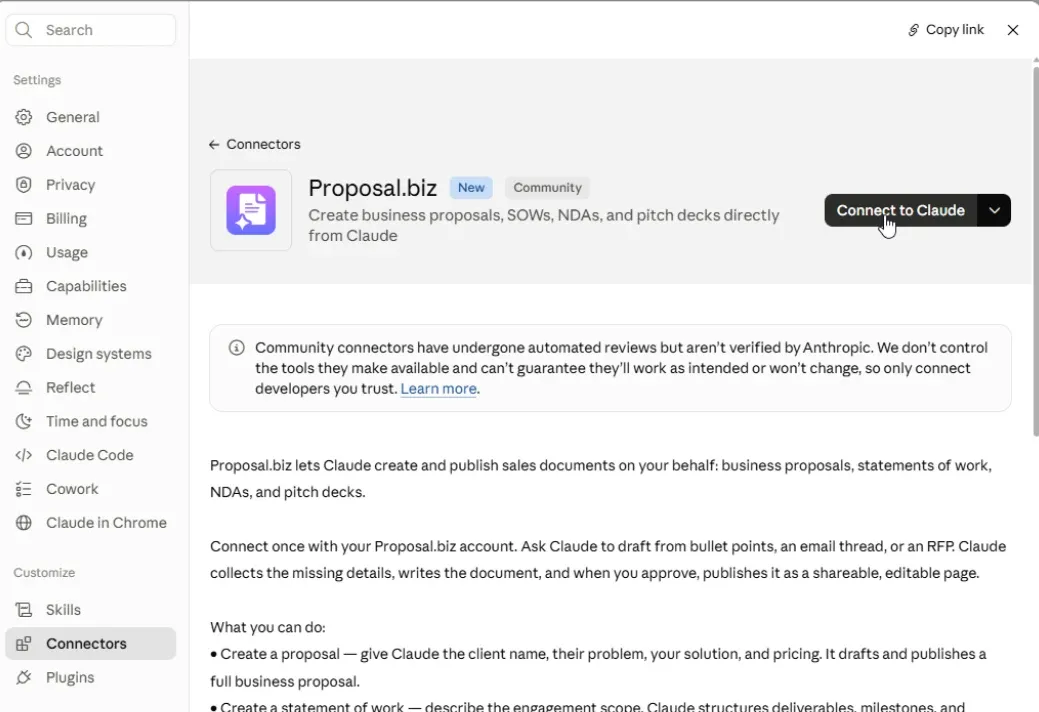
Install the Connector
Step 02

Install the Connector

  • Select Proposal.biz and click Connect.
  • It's added to your Claude account and ready to use in any chat.
claude.ai
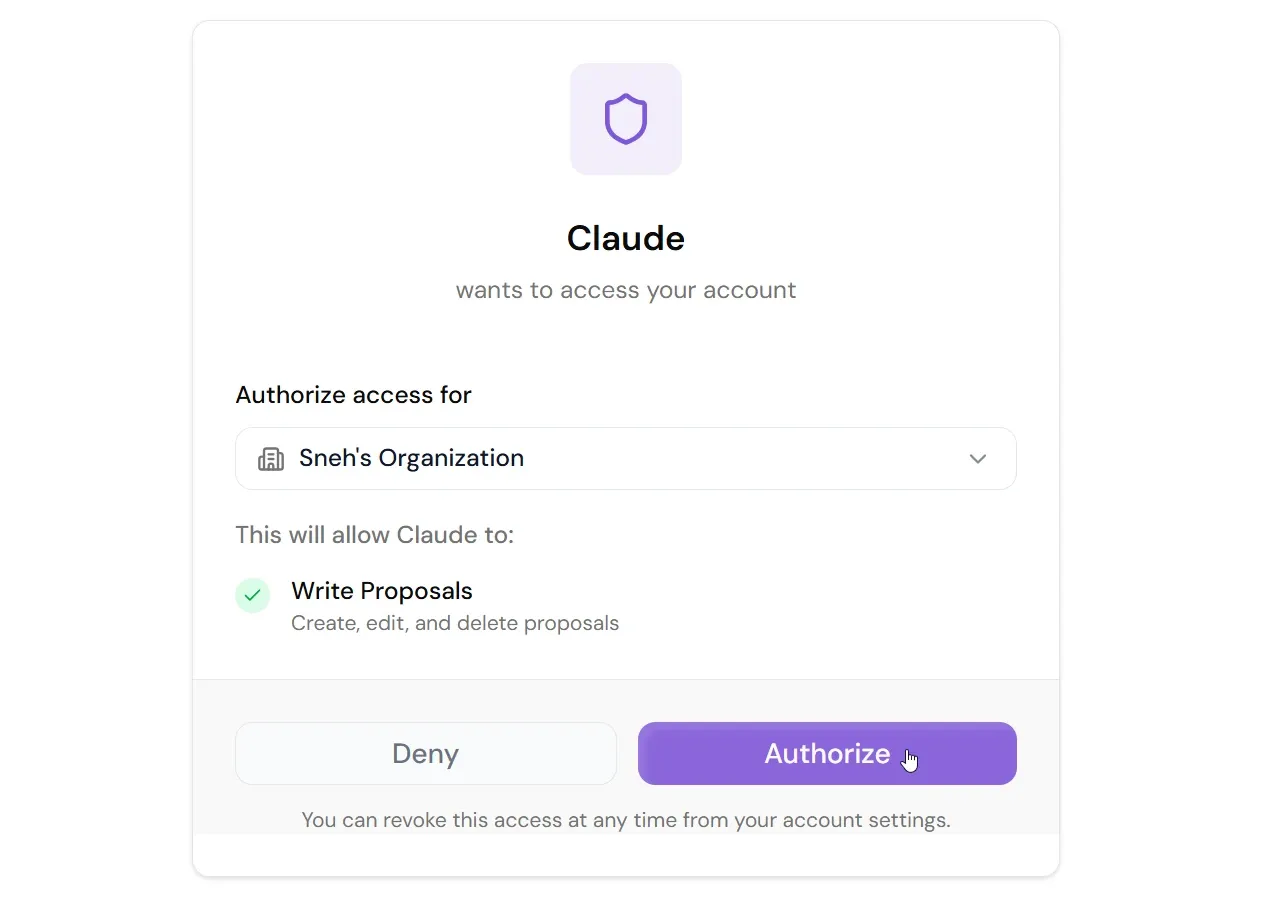
Authorise Your Proposal.biz Account
Step 03

Authorise Your Proposal.biz Account

  • Sign in to Proposal.biz and approve access when prompted.
  • This links Claude to your content library, so every document carries your logo, colours, and pricing.
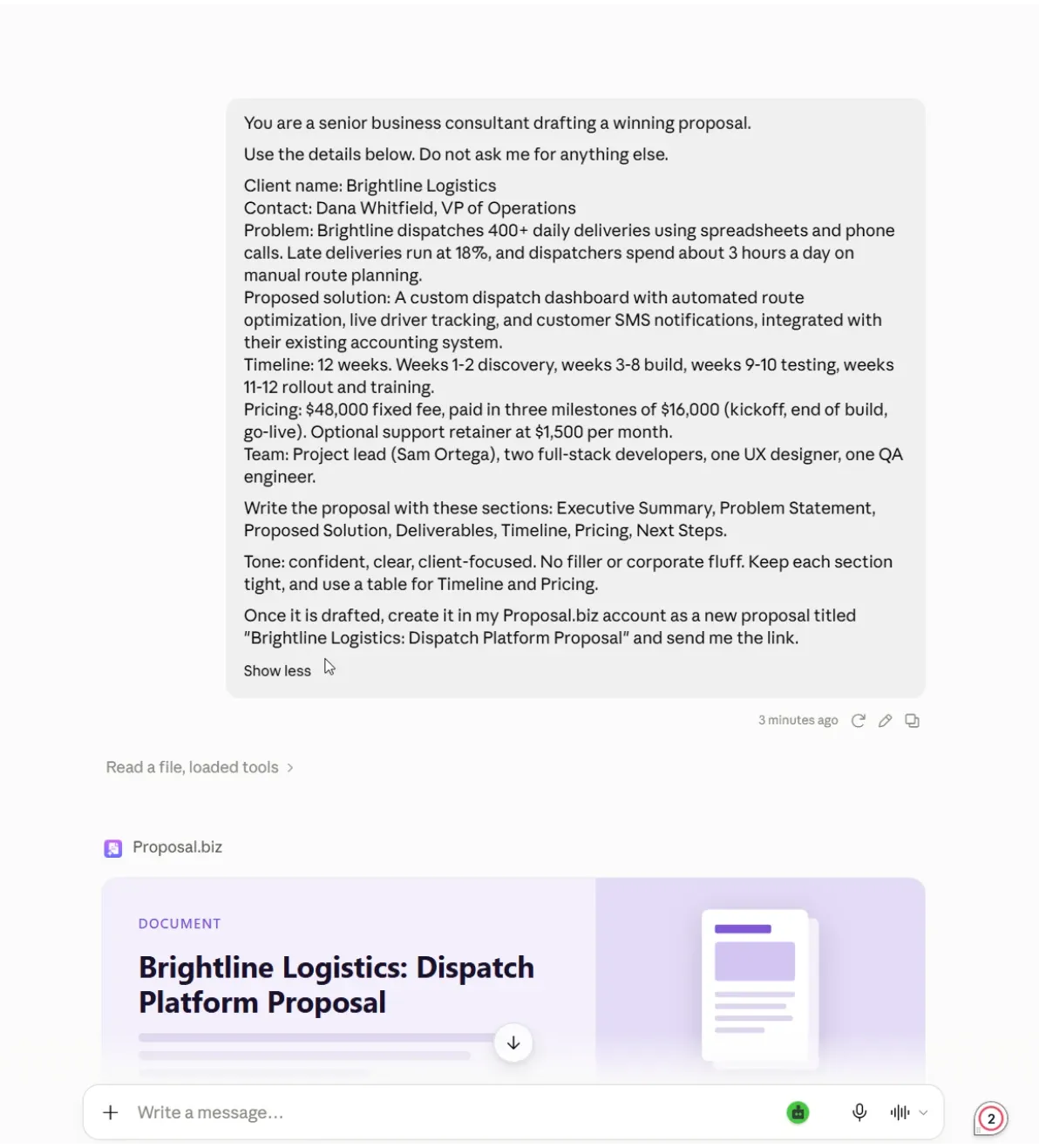
claude.ai
Prompt Claude to Create Your Proposal
Step 04

Prompt Claude to Create Your Proposal

  • Open a chat and describe what you need: the client, the scope, the price.
  • Paste in call notes or a brief for extra context.
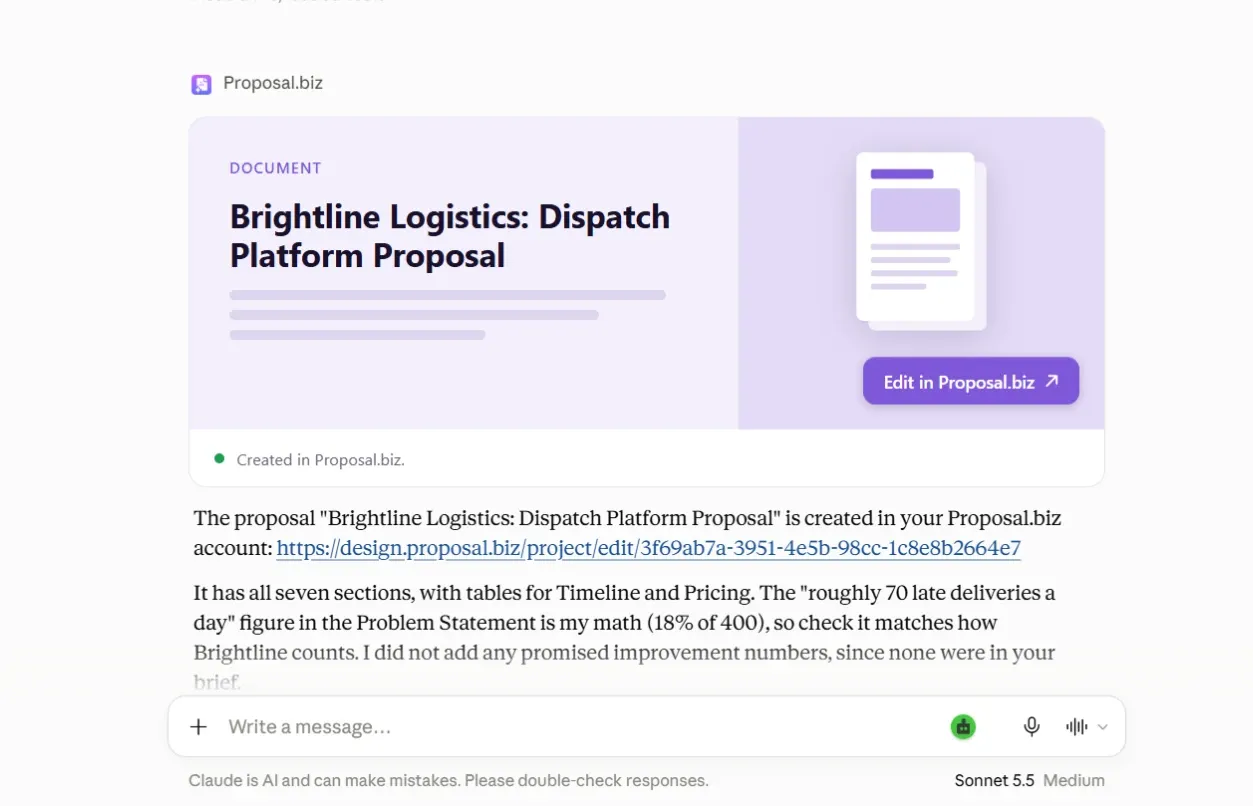
claude.ai
See the Output in Your Chat
Step 05

See the Output in Your Chat

  • Proposal.biz builds the document and Claude replies with a link to it, right inside the conversation.
  • No waiting on a download, no files to open.
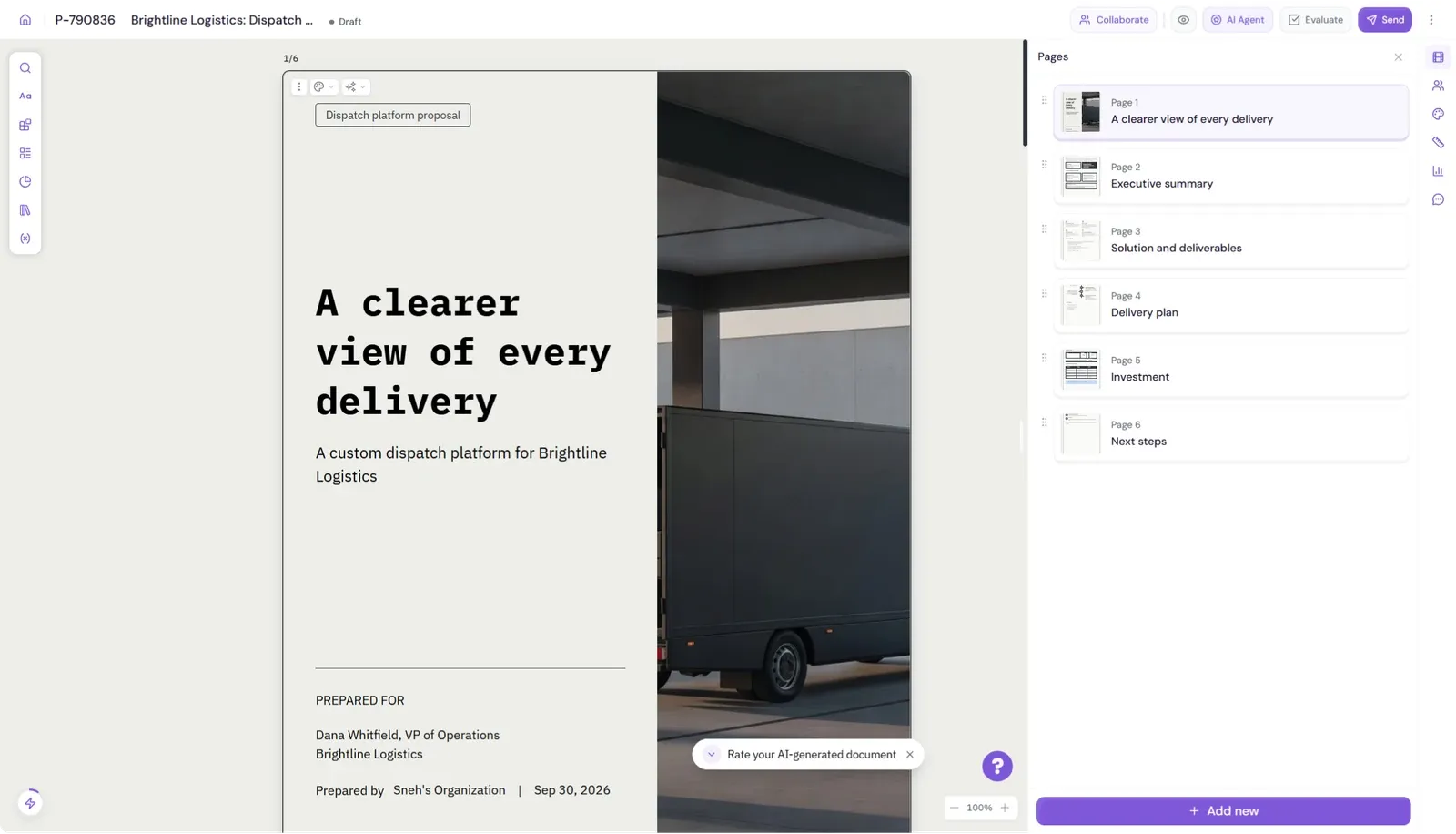
app.proposal.biz
Open in Your Dashboard
Step 06

Open in Your Dashboard

  • Click the link or open your dashboard.
  • Your designed proposal is saved and ready to review, edit, and send.

What You Can Do With Proposal.biz in Claude

If it goes to a client, Claude can start it. Here's what teams ask for first.

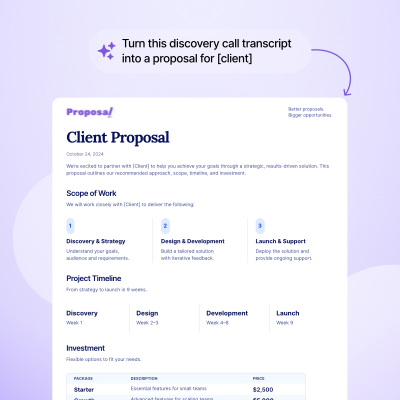
Sales

Turn discovery calls and CRM notes into signable proposals with pricing tables in seconds.
Sales

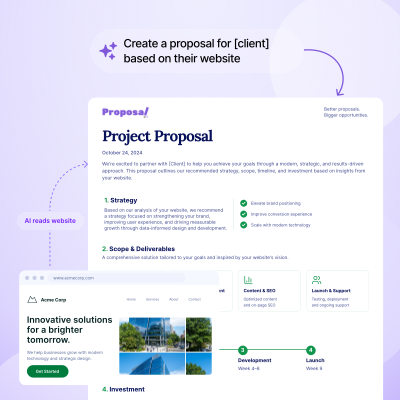
Agencies & Consultants

Draft SOWs, pitch decks, and retainer contracts from client briefs or website links.
Agencies & Consultants

Founders & Freelancers

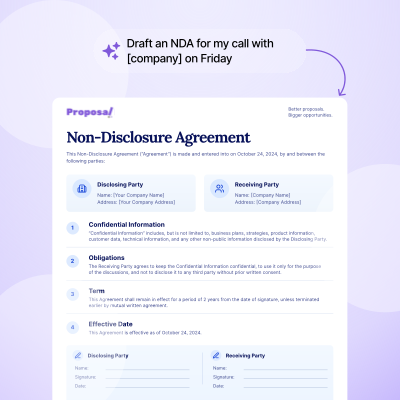
Create mutual NDAs, project agreements, and quick bids with legally binding signatures.
Founders & Freelancers

More Proposal Writing Guides to Use With Claude

Start with prompts that give Claude a clearer brief, then learn how to shape the final document.

Connect to Claude

Ready to turn a proposal prompt into a branded document? Connect Proposal.biz to Claude.

From First Draft to Signed in Four Moves

The proposal is built. Here's how it gets from your dashboard to a signature.

Refine It in Claude

Want a different pricing tier or an extra case study? Ask Claude. The same document updates and the link stays the same.

Fine-Tune It in the Editor

Prefer to make changes by hand? Open it in the drag-and-drop editor and adjust any block, pricing table, or image.

Share It

Send your client a trackable link. It opens on any device and needs no download.

Get It Signed

Your client signs inside the document. You both get a confirmation email, and the signed status and date sit in your Proposal.biz account.

Frequently Asked Questions

Find answers to common questions about our product and services.

It is a Claude connector for proposals that links your Proposal.biz account to Claude. Describe the document you need in Claude, and Proposal.biz builds it with your branding and content before Claude returns the finished document link.
Yes. Ask for a proposal, quote, SOW, contract, NDA, retainer agreement, pitch deck, one-pager, or another document type your account supports. Include the client, scope, and any requirements in your prompt.
No. Your client gets a normal link that opens in any browser, on any device. They read it and sign it right there, no Claude account needed.
Yes, as long as your content library is set up. Paste your website URL into Proposal.biz once, and every document pulls your logo, colours, fonts, tone, and pricing from it automatically.
Yes. Attach a brief, call notes, or a transcript in your chat, and Claude uses those details in the request it sends to Proposal.biz.
Always. Every document lands in your Proposal.biz account, so you can open it in the editor, tweak it by hand, or keep refining it through Claude.
In your Proposal.biz account. Each document shows its signed status and signing date, and both you and your client get a confirmation email the moment it's signed.
Claude uses your brief or conversation as context and sends the request to Proposal.biz, which creates a branded document and returns its link in the chat.
Yes. Claude can help organize your ideas and shape a first draft; Proposal.biz turns the request into a branded, editable document you can review, share, and send for signing.
That depends on Claude, not Proposal.biz. Check which plans include connectors in your Claude settings.
The Claude connector is the quickest way to use Proposal.biz inside Claude: connect once and start prompting. Proposal.biz MCP uses an API key and works with any MCP-compatible AI tool, so it suits teams using several assistants or custom setups.

Your Next Proposal Is One Prompt Away

Connect Proposal.biz to Claude and go from conversation to a signed client document without opening another tab.

Connect to Claude Free forever - No credit card.
Book a Demo