Paste a public webpage or document link to import it as a document.
Analyzing the page — this can take up to 2 minutes…
Present as
Content Extraction
Tone
Images
Style
Used by professionals at 100+ companies
What Analytics Features Are Offered by Proposal.biz?
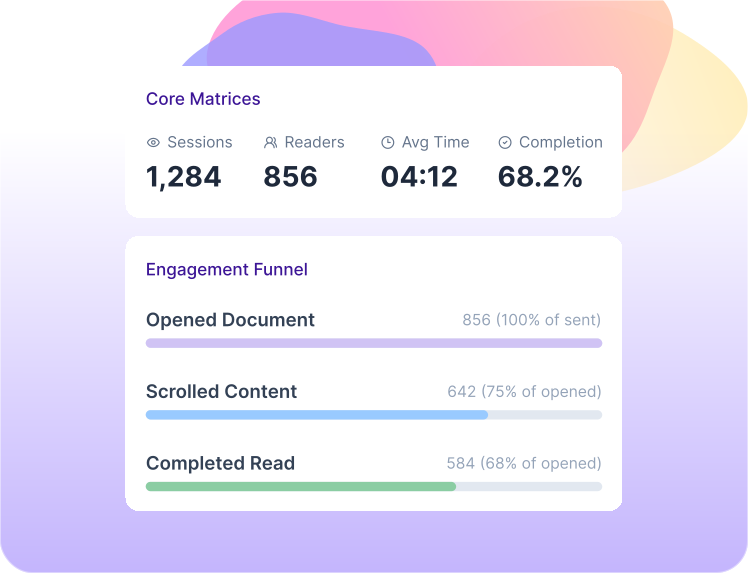
Proposal.biz Analytics gives you a clear view of how every sent business document performs after it reaches the reader. You can track opens, clicks, total sessions, total readers, average time spent, and completion rate from one analytics view. It helps your team understand whether a document is getting real attention, where readers are engaging, and where the experience needs to be improved.
The analytics layer also includes engagement funnel, per-page analytics, section reading time, geographic distribution, AI score, document value tracking, and Revenue Snapshot. You can see how many readers opened, scrolled, and completed the document, review page-level activity, understand which sections hold attention, and compare final signed value for each document. This gives sales, service, and operations teams a cleaner way to measure document performance without guessing after the send.
Why Teams Choose Proposal.biz's For Document Analytics and Reporting?
Visibility: 7 Metrics in One View
Track total sessions, total readers, average time spent, completion rate, opens, clicks. Your team sees how every sent document performs without waiting for client replies.
Clarity: 3 Funnel Stages That Show Drop-Off
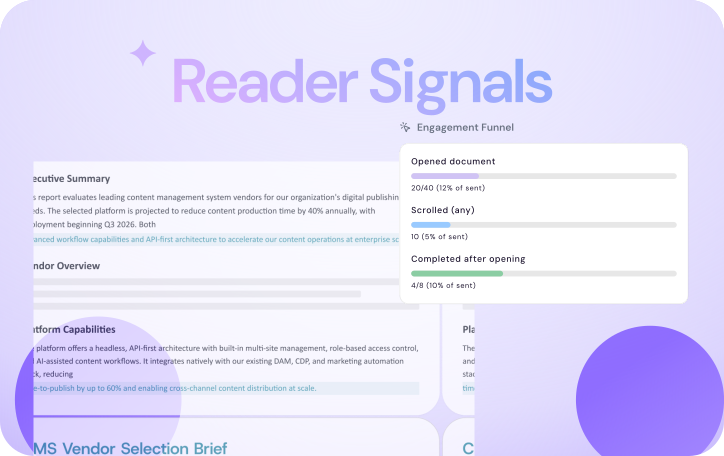
See how many readers opened, and completed the document. The engagement funnel helps your team understand where attention slows down.
Focus: 1 Section-Level Reading View
Section reading time shows which parts of the document readers spend time on. Use it to improve pricing, scope, service details, case studies, and CTAs.
Value: 2 Revenue Numbers That Matter
Revenue Snapshot shows signed document value in one place. Document value tracking and AI score help teams review which documents need attention first.
Turn Document Activity Into Better Decisions
Proposal.biz Analytics helps your team understand how every client-facing document performs after sending. See reader engagement, spot drop-offs, improve weak sections, and connect document activity with signed value.
See Every Document's Performance Clearly
Know what happens after your client-facing document is sent
Proposal.biz Analytics gives your team a clean view of document activity, so you can understand reader interest without chasing replies or guessing from silence.
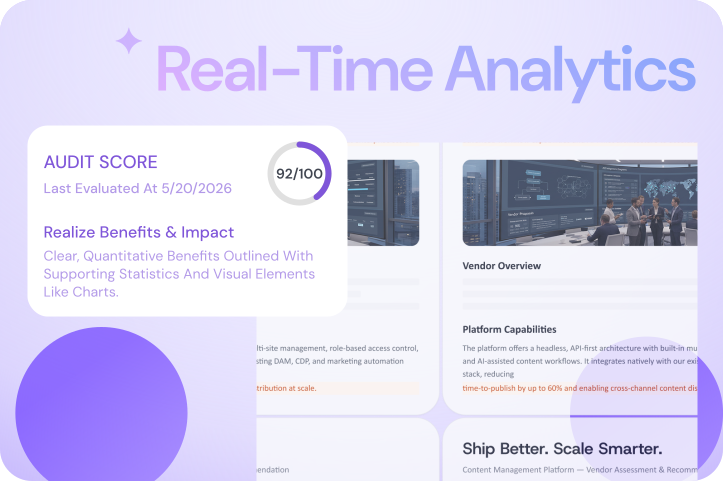
Real-Time Analytics: See total sessions, total readers, average time spent, and completion rate
Engagement Tracking: Track opens, clicks across sent documents
Engagement Timeline: View document activity in a simple chronological sequence
Completion Rate: Understand how many readers reach the end of the document
Total Readers: See how many unique readers engaged with the document
Spot Drop-Offs Before the Next Send
Find the pages where reader attention slows down
When a document loses momentum, your team can see where it happens and improve the next version with better structure, sharper content, or clearer CTAs.
Engagement Funnel: Track opened, scrolled, and completed stages with percentage breakdowns
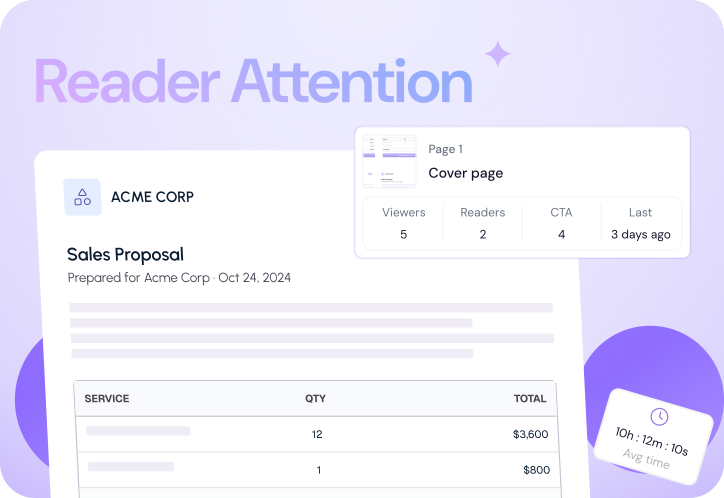
Per-Page Analytics: See page views, sessions, and CTA clicks for each page
Scroll Depth: Understand how far readers move through the document
CTA Clicks: See which pages are driving action from readers
Page Sessions: Review how often each page is viewed across sessions
Improve Content With Reader Signals
Use real engagement data to make stronger documents
Proposal.biz helps your team understand which sections hold attention, which pages need work, and how the document can be improved before it goes to the next client.
Section Reading Time: See how much time readers spend on each section
AI Score: Review document quality signals inside the analytics view
Average Time Spent: Understand how long readers stay with the document
Page Performance: Compare activity across different pages in the same document
Connect Document Activity With Business Value
See engagement and revenue signals in one place
Analytics becomes more useful when document activity connects with value. Your team can focus on the documents that carry real business weight.
Document Value Tracking: View the value connected to each document
Revenue Snapshot: See deal value for all the documents in one view
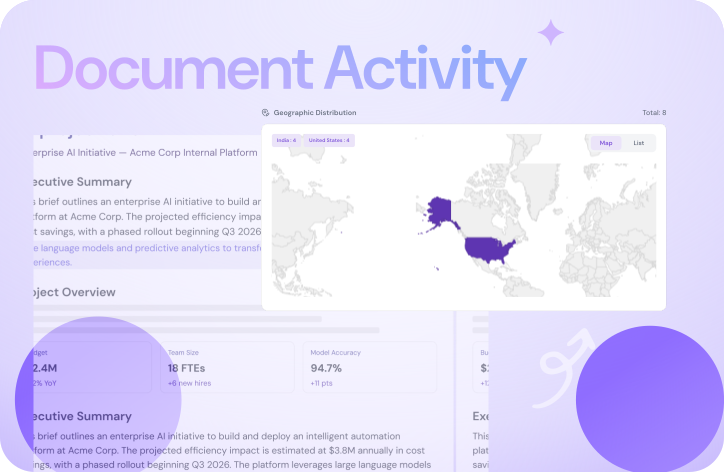
Geographic Distribution: See reader locations by country
AI Score: Prioritize documents that need review or improvement
Signed Value: Track the value of documents that move from sent to signed
Give Your Documents a Feedback Loop
Use reader signals, completion data, and section reading time to make every future document sharper.
How to Use Analytics Features?
1. Create Client-Facing Documents
Build client-facing documents and add value before sending them.
2. Share Documents With Readers
Send documents and track opens, clicks and completion.
3. Improve the Next Version
Use engagement signals to improve the next document version.
Analytics Built for Every Document Team
Give sales, marketing, success, legal, operations, and HR teams the document signals they need to follow up smarter, improve content, and track real engagement.
Sales
1 Track opens, clicks across document
2 Spot drop-offs before follow-up calls
3 Review pricing page engagement
4 Compare which documents perform better with its value
Marketing
1 Measure pitch deck engagement
2 Review CTA clicks by page
3 Improve sections readers skip
4 Check AI score before sharing
Agencies & Consultants
1 Track client document engagement
2 Review SOW section reading time
3 Find pages clients revisit
4 Monitor completion before follow-ups
Customer Success & Account Management
1 Track renewal document engagement
2 Review QBR reader activity
3 See where customers slow down
4 Prepare follow-ups with engagement context
Legal & Operations
1 Track contract reading completion
2 Review clause section reading time
3 Spot operational document drop-offs
4 Improve complex document clarity
HR & People Ops
1 Track offer letter engagement
2 Review onboarding document completion
3 See training material reading time
4 Improve employee document clarity
Analytics Works Better With the Full Document Stack
Analytics tells you what happens after sending. These connected features help your team create, improve, collaborate, sign, and manage documents in one workspace.
01
AI Document Generation
Create branded business documents from a simple prompt, including SOWs, contracts, reports, presentations, one-pagers, and more.
02
Content Master
Store brand assets, services, case studies, pricing, and reusable content so every document starts with the right context.
03
AI Features
Rewrite sections, adjust tone, shorten content, ask document questions, and improve drafts without leaving the editor.
04
E-Signatures
Let recipients sign and counter-sign directly inside the document, keeping the final step close to the document itself.
05
Collaboration
Work with teammates in real time, leave inline comments, and keep document feedback tied to the right sections.
Frequently Asked Questions
Find answers to common questions about our product and services.
It tracks opens, clicks, total sessions, total readers, average time spent, completion rate, page activity, section reading time, and reader location.
It shows where readers engage, slow down, click, or complete, so your team can improve structure, content, CTAs, and follow-up timing.
Yes. Teams can track business documents like SOWs, contracts, reports, presentations, one-pagers, client documents, and internal documents from one view.
The Engagement Funnel shows how many readers opened, scrolled, and completed a document, with percentage breakdowns at each stage.
Revenue Snapshot shows the signed value of every document, helping teams connect document activity with real business movement.
Sales, marketing, agencies, consultants, customer success, legal, operations, and HR teams can use Analytics to understand document performance better.
Turn Reader Signals Into Better Documents
Use engagement tracking, section reading time, per-page analytics, and AI score to improve every client-facing document.