
Table of Contents
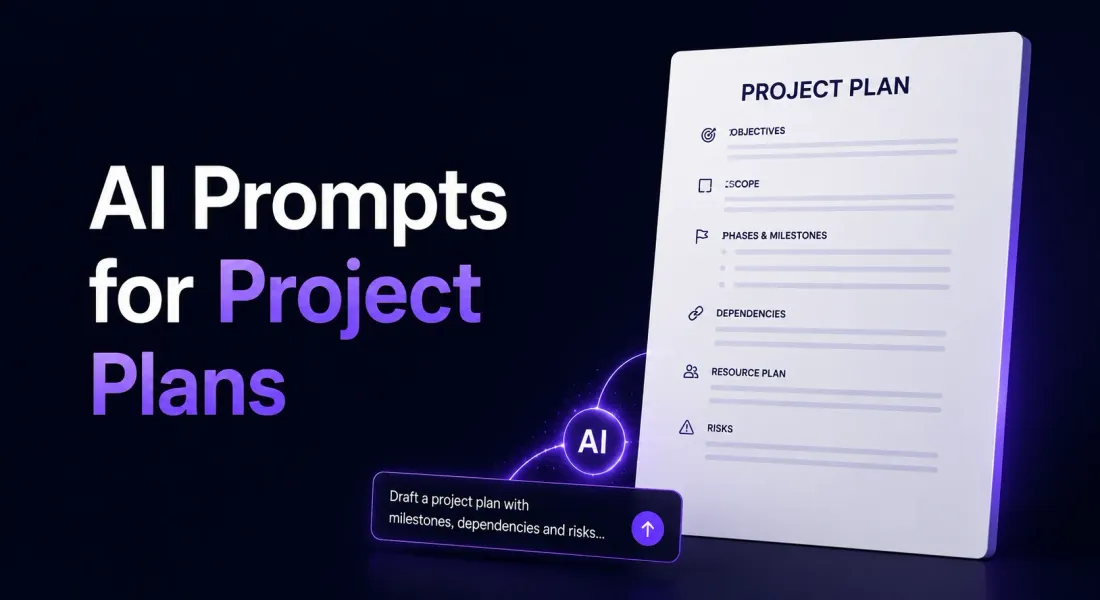
AI Prompts For Project Plan: 18 Templates Across ChatGPT, Claude And Gemini
A project plan is the document that decides whether a project will go well or badly. Not because the plan itself does the work, but because the plan is where wishful thinking gets caught. Scope that is vague at the planning stage becomes scope creep three weeks in. Dependencies that are unnamed at week zero become emergency calls at week eight. Resources that are ‘available’ on the plan and ‘over-committed’ in reality become the burnout the project always seems to need. The strongest project plans force these uncomfortable truths to the surface before the project starts, which is exactly when they are still cheap to fix.
AI prompts for project plan writing earn their keep when they push the model for that kind of pre-emptive honesty rather than letting it produce a tidy timeline that ignores risk. The 18 templates here split across ChatGPT, Claude and Gemini, with six under each. They cover full plans, dependency-mapped programmes, multi-team coordination, risk registers and the research-led approaches that anchor plans in realistic benchmarks. They sit alongside the engagement-shaping work in AI prompts for project proposal, but they pick up where the proposal leaves off.
Why AI Works Well For Project Plan Writing
Project plans follow a structure of their own: scope, phases, deliverables, dependencies, resources, risks, communications, governance. AI handles structured planning content well when the brief carries enough operational detail. A strong prompt produces a usable first draft in one pass.
Each Model Plays A Different Role
ChatGPT is the most flexible for general plan drafting and quick revisions. Claude is the precision tool for dependency mapping, multi-team coordination and long-horizon programme plans where complexity compounds. Gemini grounds plans in industry-typical timelines and resource benchmarks.
Acceptance Criteria Belong In The Plan
A deliverable without acceptance criteria becomes ‘done’ whenever someone says so. Every prompt below treats acceptance criteria as a required output, not an afterthought. The same pattern is reinforced in AI prompts for statement of work, where the SOW carries it forward into contract language.
Dependencies Are The Real Schedule
Most projects slip on dependencies, not on direct work. The prompts here force the model to surface dependencies upfront, name them, and treat them as constraints on the timeline rather than line items in a list.
Risks Belong On Paper Before They Happen
A risk you have written down is a risk you can plan against. A risk only in your head is a problem waiting to happen. Several prompts below build the risk register into the plan rather than treating it as an annex.
ChatGPT Prompts For Project Plans
ChatGPT is the flexible workhorse for project plan drafting. It handles full plans, phased structures and quick revisions. These six ChatGPT prompts for project plan work cover the situations PMs, consultants and delivery leads face every kick-off. Each ChatGPT prompts for project plan below is built around a specific scenario, so you can pick the right ChatGPT prompts for project plan for the job rather than starting from a blank page.
1. Full Project Plan From Scratch
Act as an experienced delivery lead writing a clean,
defensible project plan.
Engagement:
- Project name: [name]
- Sponsor: [the person funding the project]
- Project lead: [you or named owner]
- Goal: [the single outcome the project must deliver]
- Scope summary: [the work in one paragraph]
- Duration: [start date to end date]
- Budget: [number or range]
- Key constraints: [time, cost, regulatory, technical]
Write a complete project plan.
Structure:
1. Project summary and goal
2. Scope statement: in-scope, out-of-scope, assumptions
3. Phases with start and end dates
4. Key deliverables per phase, with acceptance criteria
5. Resource plan: roles, allocation, named owners
6. Dependencies, internal and external
7. Risks: top 5-7, each with mitigation
8. Communications plan: cadence, attendees, format
9. Governance: decision rights and escalation
10. Success measures
Rules:
- Honest timelines. No optimistic single-point estimates.
- Specific owners on every deliverable.
- Around 1500 words.
Where it works best: ChatGPT produces a complete, well-ordered project plan with the operational detail delivery teams actually use. This is the ChatGPT prompts for project plan most teams reach for first.
Best for: First full plan when scope is agreed and the project is about to kick off.
2. Phased Project Plan With Milestones
Act as a delivery lead writing a phased project plan
designed to gate progress at each milestone.
Engagement:
- Project: [name and goal]
- Phases: [list each phase with name and purpose]
- Milestone gate at the end of each phase: [the criterion]
- Phase owners: [named per phase]
- Cross-phase dependencies: [list]
Write a phased project plan.
Structure:
For each phase:
- Phase name and purpose
- Start and end dates
- Owner and team
- Deliverables with acceptance criteria
- Milestone gate criterion
- What happens if the gate is missed (rework, delay, scope cut)
- Hand-off to next phase
Then:
- Cross-phase dependencies
- Critical path overview
- Phase-level risk register
- Phase-level governance and decision rights
Rules:
- Each gate must be objective, not 'good enough'.
- The phase owner has authority to call the gate.
- Around 1600 words.
Where it works best: ChatGPT handles phased structures cleanly and writes gate criteria that hold up under pressure.
Best for: Larger projects where gating decisions between phases protect the overall outcome.
3. Resource And Team Allocation Plan
Act as a delivery lead writing the resource section that
prevents over-commitment.
Engagement:
- Project: [name and duration]
- Roles needed: [list each role with skills required]
- People available: [list named individuals and their other
commitments]
- Time allocation per role: [percentage or days per week]
- Skill gaps: [where the team is short]
- Budget for external resource: [number]
Write a resource allocation plan.
Structure:
1. Role-by-role breakdown:
- Role name and responsibilities
- Named owner
- Allocation (percentage or days)
- Their other commitments
- Capacity risk score (green, amber, red)
2. Skill gaps and how they will be filled
3. External resource plan: contractors, agencies, suppliers
4. Onboarding plan for any new hires or contractors
5. Knowledge transfer plan at project end
Rules:
- Be honest about over-commitment. Plans built on fictional
availability fail at week three.
- Name people, not 'a team member'.
- Around 1000 words.
Where it works best: ChatGPT forces honest assessment of resourcing rather than the smooth fiction most plans default to.
Best for: Internal projects where the same team is delivering BAU work alongside the project and capacity is the real constraint.
4. Risk Register And Mitigation Plan
Act as a delivery lead writing a risk register that the team
will actually use.
Engagement:
- Project: [name and scope]
- Historical issues on similar projects: [paste]
- Known constraints: [list]
- Stakeholders likely to add risk: [list]
- Tolerance for delay and overspend: [your threshold]
Write a risk register.
Structure:
For each risk:
- Risk description (the actual event, not the consequence)
- Likelihood (low, medium, high)
- Impact (low, medium, high)
- Risk score (likelihood x impact)
- Mitigation: what we do upfront to reduce likelihood
- Contingency: what we do if the risk materialises
- Owner
- Review cadence
Then:
- Top 5 risks visualised on a likelihood vs impact grid
- Risk review cadence (weekly, fortnightly)
- Escalation triggers
- A standing 'emerging risks' agenda item
Rules:
- Risks are events, not vague concerns ("the customer might
not like it" is not a risk; "the customer review takes
longer than two weeks" is).
- Honest scoring. Optimistic risk scores defeat the point.
- Around 1100 words.
Where it works best: ChatGPT writes risk registers that surface real events rather than vague concerns, with mitigation and contingency separated cleanly.
Best for: Projects where past similar work has slipped, and the team needs the next plan to do better.
5. Weekly Sprint Or Iteration Plan
Act as a delivery lead writing a one-week or two-week
iteration plan.
Engagement:
- Iteration: [number and dates]
- Iteration goal: [the one outcome]
- Backlog items in scope: [list]
- Story points or hours available: [team capacity]
- Owners per item: [named]
- Dependencies for this iteration: [list]
- Carry-over from last iteration: [if any]
Write a sprint plan.
Structure:
1. Iteration goal in one sentence
2. Stories in scope with story points or estimates
3. Owners per story
4. Acceptance criteria per story
5. Dependencies and the person resolving each
6. Risks for the iteration
7. Stand-up format and cadence
8. Mid-iteration review trigger
9. Demo or review at the end
Rules:
- The iteration goal must be defensible at the end. "We worked
hard" is not a goal.
- Honest capacity. No heroics planned in.
- Under 500 words.
Where it works best: ChatGPT writes tight iteration plans that respect capacity and surface dependency risks early.
Best for: Agile delivery teams who need weekly or fortnightly planning that holds up across the iteration.
6. Project Kick-Off Email
Act as a delivery lead writing the email that goes with the
finalised project plan.
Context:
- Project: [name and goal]
- Plan attached or linked: [reference]
- Sponsor: [named]
- Project lead: [named]
- First milestone: [date and what it covers]
- Kick-off meeting: [date and time]
- Expected response: [confirm attendance, raise concerns]
Write a project kick-off email.
Structure:
- Subject line that names the project and the date
- Opening sentence referencing the agreed scope, not the
document
- A short paragraph on the goal and first milestone
- A short list of what the recipient needs to do this week
- Kick-off meeting time and what to come prepared with
- Where to raise blockers or concerns
- Closing line that signals momentum without overpromising
Rules:
- Under 150 words.
- Confident, not over-formal.
- The recipient should know exactly what they owe this week.
Format: subject, body, signature placeholder.
Where it works best: ChatGPT writes kick-off emails that drive action this week, not just announce the project.
Best for: Project starts where the early signals from key contributors decide whether the project gets momentum.
Claude Prompts For Project Plans
Claude is the right model when the input is long (signed SOWs, dependency chains, multiple workstreams) and the plan needs to hold up across many interlocking parts. These six Claude prompts for project plan writing handle the situations where complexity compounds and small ambiguities cause large slips. Each Claude prompts for project plan below is built around a specific scenario, so you can pick the right Claude prompts for project plan for the job rather than starting from a blank page.
1. Project Plan From A Signed Statement Of Work
You are a delivery lead converting a signed SOW into a
working project plan.
<sow>
[paste the signed SOW content]
</sow>
<context>
Project: [name]
Team available: [named people and their other commitments]
Constraints not in the SOW: [time, cost, regulatory, technical]
</context>
<task>
Translate this SOW into a project plan.
</task>
<instructions>
- Carry forward every deliverable from the SOW.
- Convert each deliverable into measurable acceptance criteria.
- Map deliverables to phases and milestones.
- Surface dependencies that were implicit in the SOW.
- Name owners for every deliverable.
- Flag any clause in the SOW that needs clarification before
delivery starts.
</instructions>
<format>
Standard project plan sections with a 'clarifications needed'
appendix listing anything that requires the buyer to confirm
before kick-off. Around 1500 words.
</format>
Where it works best: Claude is faithful to the source SOW and surfaces what needs clarification before delivery rather than hoping it gets resolved later. This is the Claude prompts for project plan most teams reach for first.
Best for: Turning a signed engagement into a workable plan without losing what was originally agreed.
2. Detailed Dependency-Mapped Plan
You are a delivery lead writing a project plan where the
critical path runs through dependencies, not the work itself.
<context>
Project: [name and goal]
All workstreams: [list each with their primary deliverables]
Internal dependencies: [list which workstream depends on which]
External dependencies: [vendors, regulators, customer inputs]
Float available across the timeline: [days or weeks]
</context>
<task>
Write a dependency-mapped project plan.
</task>
<structure>
1. Workstream-by-workstream deliverables
2. A dependency map described in text:
- Each dependency with predecessor and successor
- Lead time required
- Owner on the predecessor side
- Owner on the successor side
3. Critical path identified
4. Float allocation
5. Dependency-specific risk register
6. Communication pattern between dependent workstreams
7. Escalation when a dependency slips
</structure>
<rules>
- Be ruthless about identifying real dependencies vs adjacencies.
- Critical path must be defensible.
- Owner on each side of every dependency.
</rules>
Where it works best: Claude handles dependency complexity cleanly and surfaces the critical path without losing the wider picture.
Best for: Complex projects where the schedule is decided by dependencies, not by the work itself.
3. Multi-Team Coordination Plan
You are a delivery lead writing the plan that holds
multiple teams together.
<context>
Teams involved: [list each with primary owner and contribution]
Joint deliverables: [where two or more teams co-own a piece]
Single-team deliverables: [the bits each team owns alone]
Decision rights: [what each team decides alone, what needs
joint sign-off]
Communications cadence: [team-level, cross-team, programme-level]
</context>
<task>
Write a multi-team coordination plan.
</task>
<structure>
For each joint deliverable:
- Joint deliverable name
- Team owners and their roles
- Inputs needed from each team
- Output and acceptance criteria
- Decision rights upstream and downstream
- Timeline with handovers named
Then:
- Cross-team rituals (stand-ups, syncs, demos)
- Decision-making framework for joint calls
- Escalation hierarchy across teams
- Information flow between teams: who tells whom what, when
</structure>
<rules>
- No 'jointly owned' without a named primary decision-maker.
- Communication burden shared honestly across teams.
</rules>
Where it works best: Claude writes multi-team coordination plans without letting responsibility blur between teams.
Best for: Programmes where several teams have to deliver into one outcome and one missed handover sinks the whole thing.
4. Long-Horizon Programme Plan
You are a delivery lead writing a 12-24 month programme
plan that resists the usual planning fictions.
<context>
Programme: [name and ultimate goal]
Sub-projects within the programme: [list]
Time horizon: [months]
Key external dependencies over the horizon: [list]
Things known to be uncertain: [list]
</context>
<task>
Write a long-horizon programme plan that handles uncertainty
honestly.
</task>
<structure>
1. Programme goal and how it will be measured at the end
2. Horizon broken into shorter planning periods (quarters)
3. For each quarter:
- Goal for the quarter
- Sub-projects active
- Key milestones
- Decision points where the plan is re-evaluated
4. Long-range assumptions explicitly listed
5. 'Re-planning' triggers: events that would force a redraft
6. Cone of uncertainty: what we are sure of vs what we are
guessing at
7. Programme-level risks distinct from project-level risks
</structure>
<rules>
- No false certainty in the back half of the plan.
- Re-planning triggers must be specific events, not 'as needed'.
</rules>
Where it works best: Claude writes long-horizon plans that acknowledge uncertainty instead of pretending to see 18 months out.
Best for: Programmes where the plan has to survive contact with the world for more than a quarter.
5. Acceptance Criteria And Deliverable Breakdown
You are a delivery lead writing the section of the plan
that defines what 'done' looks like for every deliverable.
<context>
Project: [name]
Deliverables: [list each from the SOW or scope]
Customer or sponsor review process: [who reviews, in what
format]
Review windows: [how long the reviewer has]
Revision cycles included: [number]
</context>
<task>
Write an acceptance criteria and deliverable breakdown.
</task>
<requirements>
For each deliverable:
- The deliverable name and one-line description
- What 'done' looks like in objective, testable terms
- Format the deliverable will be in
- Reviewer and their authority to accept
- Review window
- Number of revision cycles included
- What happens after revision cycles are exhausted
- What does not count as acceptance (silence is not approval)
</requirements>
<rules>
- No subjective acceptance language ("looks good", "feels right").
- Reviewer must have actual authority to accept.
- Acceptance windows realistic for the reviewer's other
commitments.
</rules>
Where it works best: Claude is excellent at converting subjective standards into measurable acceptance criteria that hold up under dispute.
Best for: Client-delivery projects where the quality bar is the most likely point of disagreement.
6. Two-Path Project Plan (Aggressive Vs Realistic)
You are a delivery lead writing two genuine versions of the
same plan so the sponsor can pick the trade-off they want to
accept.
<context>
Project: [name and goal]
Same scope: [the work]
Aggressive path: [shortest defensible timeline]
Realistic path: [the timeline most likely to actually happen]
Resource implications of each: [paste]
Risk profile of each: [paste]
</context>
<task>
Write both plans in parallel.
</task>
<structure>
For each plan:
- Timeline and key milestones
- Resource allocation
- Critical path
- Risks specific to this version
- What has to go right for this plan to hold
- Trade-offs accepted
Then a closing comparison paragraph helping the sponsor choose
based on tolerance for risk vs urgency, without subtly
favouring one path.
</structure>
<rules>
- Both plans must be defensible.
- Aggressive does not mean reckless.
- Honest about what has to go right in each case.
</rules>
Where it works best: Claude handles parallel planning structures cleanly and surfaces the trade-offs honestly rather than nudging the sponsor towards one option.
Best for: Sponsor conversations where the team and the business have different views on timeline urgency.
Gemini Prompts For Project Plans
Gemini’s live web grounding is the right tool when the plan needs to be anchored in industry-typical timelines, comparable project benchmarks or current regulatory milestones. These six Gemini prompts for project plan writing turn internal-only plans into documents grounded in evidence from outside the building. The same benchmark discipline shows up in how to write a technical proposal when scope is being negotiated upfront, and across the software industry where vendor roadmaps drive plan timing. Each Gemini prompts for project plan below is built around a specific scenario, so you can pick the right Gemini prompts for project plan for the job rather than starting from a blank page.
1. Industry-Benchmark-Anchored Project Plan
You are a delivery lead grounding the project timeline in
industry benchmarks.
Step 1: Research typical timelines for [project type] in
[industry]. Find:
- Median duration for similar-sized projects
- Top-quartile duration
- The phases that typically take the longest
- The phases that typically cause the most slips
- Recent shifts in typical timelines
Step 2: Write a project plan with timeline benchmarked against
the industry.
Output:
- Standard plan structure
- A 'where this sits in the market' note showing the benchmark
and citing sources
- Our timeline position in the range, with reasoning
- Phases where we expect to outperform the benchmark and why
- Phases where we expect to track the benchmark and why
Rules: cite every benchmark figure with the source. Use ranges
where single agreed numbers do not exist.
Where it works best: Gemini’s live research grounds project timelines in real benchmarks rather than internal optimism. This is the Gemini prompts for project plan most teams reach for first.
Best for: Project plans where the sponsor or buyer will compare your timeline against industry norms.
2. Comparable Project Timelines Section
You are a research-led delivery lead sourcing comparable
projects to anchor the timeline.
Step 1: Using web research, find:
- 3-5 publicly reported projects of similar size and scope
- Their reported durations
- Their reported challenges
- Lessons learned that were published or discussed openly
- Named voices on the work
Step 2: Write a 'comparable projects' section for the plan.
Output:
- One-paragraph framing of why these are relevant
- 2-3 short summaries with: project, duration, headline
challenge, lesson learned
- A paragraph connecting the pattern to our project
- Implications for our risk register
Rules: cite every source. Use publicly verifiable examples. Do
not paraphrase lessons into something the original team did not
say.
Where it works best: Gemini can pull comparable project stories from public sources to ground risk and timing claims.
Best for: Plans where the sponsor wants evidence the timeline is realistic relative to similar work elsewhere.
3. Regulatory And Compliance Milestones
You are a delivery lead researching regulatory milestones
that the plan has to account for.
Step 1: Research current regulatory requirements affecting
[the project] in [the relevant jurisdictions]. Find:
- Approval or notification windows
- Mandatory consultation periods
- Reporting obligations during the project
- Recent enforcement actions affecting expectations
- Pending rule changes during the project window
Step 2: Write the regulatory milestones section of the plan.
Output:
- A regulatory timeline with each milestone, its trigger and
its window
- Owner per milestone
- Buffer added for regulator response times
- Risk if any milestone slips
- A list of references for the rules cited
Rules: cite every regulation. Use the actual names and dates.
If a rule is unclear, recommend specialist review rather than
guessing.
Where it works best: Gemini’s recency is essential for regulatory planning because windows and enforcement positions change.
Best for: Regulated projects (finance, healthcare, infrastructure, AI) where missing a window creates real exposure.
4. Technology Stack Constraints From Market
You are a delivery lead researching current technology
constraints that affect the project's plan.
Step 1: Research the technology stack for [the project]. Find:
- Current platform versions and known support lifecycles
- Vendor roadmap signals affecting timing
- Recent incidents or vulnerabilities in the stack
- Migration paths the vendor is pushing
- Cost or licence changes
Step 2: Write the technical constraints section of the plan.
Output:
- A summary of each platform and its support state
- Vendor roadmap items affecting our timeline
- Migration or upgrade work that needs to be planned in
- Risk from vendor changes and our mitigation
- A note on alternative stacks if a constraint becomes binding
Rules: cite every claim about the stack. Do not assume vendor
positions that are not public. Recommend confirming with
specialist input where appropriate.
Where it works best: Gemini surfaces current vendor and stack realities that older models cannot reliably know.
Best for: Technology projects where a vendor announcement mid-project could materially affect the plan.
5. Resource Cost Benchmarks For Region
You are a delivery lead researching current resource cost
benchmarks for the plan.
Step 1: Research current rates for [the roles in scope] across
[the regions where work is delivered]. Find:
- Typical contractor day rates by role and region
- Typical agency day rates
- Permanent salary ranges
- Recent trends (rising, stable, falling)
- Notable shortage roles
Step 2: Write the resource cost section of the plan.
Output:
- Role-by-role cost benchmarks with the source
- Our planned mix of permanent, contract and agency
- A note on shortage roles and our mitigation
- Currency and tax assumptions for cross-region work
- Sensitivity: what changes if a rate moves by 15%
Rules: cite every rate claim with the source. Use ranges where
single figures do not exist.
Where it works best: Gemini surfaces current resource costs across regions which prevents the plan baselining on stale numbers.
Best for: Multi-region projects where resource cost is a meaningful share of the total and rates shift quickly.
6. Risk Register Grounded In Industry Incidents
You are a delivery lead researching recent incidents in
similar projects to ground the risk register.
Step 1: Research recent publicly reported issues on projects
similar to ours. Find:
- Notable cost or schedule overruns and their causes
- Quality or safety incidents
- Vendor failures
- Stakeholder or sponsor changes mid-project
- Regulatory enforcement events
Step 2: Write a risk register grounded in these incidents.
Output:
For each risk:
- Risk event description
- The real-world incident it is drawn from, cited
- Likelihood for our project, with reasoning
- Impact for our project
- Mitigation, drawn from how others handled it
- Contingency
- Owner and review cadence
Rules: cite the source for every incident. Do not invent
incidents. Frame likelihood honestly.
Where it works best: Gemini’s web grounding turns generic risk registers into ones anchored in events that actually happened to comparable teams.
Best for: Higher-stakes projects where the sponsor wants the risk register to reflect real history, not generic checklists.
How To Get More From Each Prompt
A prompt is a starting point, not the finished plan. A few habits get a lot more value out of every template above when you are working on a project plan. The best AI prompts for project plan share one thing: they put scope, structure and reader before everything else. Whether you use a ChatGPT, Claude or Gemini prompt, or any other AI prompt to write a project plan you have saved, these habits apply.
Treat The First Reply As A Draft
Ask for a tighter version, push back on an optimistic timeline, or request more depth on a specific section. Each pass sharpens the plan. Run each of the AI prompts for project plan above through at least one revision pass.
Chain Your Prompts
Use the output of one prompt as the input to the next. A scope prompt can feed a dependency-mapping prompt, which can feed a risk register prompt, all without leaving the model.
Save What Works
When a prompt produces a strong section, keep it with a note on why. Over time you build a personal library of plan patterns that fit the kind of work you actually deliver. The plan also sets up how you report later, so the patterns here pair naturally with AI prompts for client report once delivery is underway.
From Prompt To Branded Document
AI gives you the structure and the words. It does not give you a branded plan document the sponsor actually opens, or visibility into when key stakeholders read it. That last stretch, branding the plan, distributing it, and knowing what landed, is where most project programmes lose oversight time.
This is where Proposal.biz fits in.
Paste Your Website URL
Proposal.biz pulls your brand assets, services and methodology into a Smart Content Library, so every plan looks like yours automatically. That is the layer AI prompts for project plan on their own cannot give you.
Generate From A Plan Prompt
Describe what you need and the document creation tools produce a fully branded project plan, ready to refine in the Proposal Builder.
Send A Shareable, Trackable Link
Instead of a flat PDF, you send a live link and see views, time spent and section-level engagement, so you know exactly which sections the sponsor and team actually read.
The simplest workflow: draft your plan using whichever AI prompt to write a project plan fits the engagement, then drop the copy into Proposal.biz to brand, send and track. For project work documented under a formal scope, see statement of work for how the plan and the SOW work together.
Final Word
A project plan is the document that catches the wishful thinking before delivery does. The strong ones name owners, surface dependencies, score risks honestly and accept that uncertainty is a planning input, not an inconvenience. The weak ones look polished and slip in week three. Use these templates to handle the structure. The judgment about scope, sequencing and where to push back on the sponsor still sits with you.
Proposal.biz takes the friction out of the document side. Paste your website URL once and your brand, methodology and standard plan blocks populate a Smart Content Library every future plan draws from. The Proposal Builder turns the AI draft into a branded plan, a shareable link replaces the PDF attachment, and view tracking shows you which sections sponsors and team members actually read. The next governance call you run is grounded in what people engaged with, not what you assumed they had seen.
The right AI prompts for project plan produce strong drafts. Proposal.biz turns those drafts into branded documents that read like yours, send like yours and track like yours. Whichever AI prompt to write a project plan you reach for, the workflow stays the same: draft, refine, brand, send, track.
Frequently Asked Questions
What is the best AI prompt to write a project plan?
There is no single best prompt. The strongest output depends on the engagement and the model you reach for. For a first full plan, the ChatGPT prompts for project plan writing at the top of this guide are a good starting point. For complex dependency-heavy or multi-team work, the Claude prompts handle complexity most carefully. For plans that need industry-anchored timelines or regulatory milestones, the Gemini prompts ground the plan in current evidence.
Which AI tool is best for writing project plans?
Each model has a different strength. ChatGPT is the most flexible for general drafting, sprint plans and kick-off emails. Claude is best when the input is long (SOWs, dependency chains, multi-team scope) or precision in acceptance criteria matters. Gemini wins when the plan needs industry benchmark timelines, regulatory milestones, vendor stack realities or comparable project history.
What sections should an AI-generated project plan include?
Scope statement with in-scope, out-of-scope and assumptions; phases and milestones; deliverables with acceptance criteria; resource plan with named owners; internal and external dependencies; risk register; communications plan; governance and decision rights; success measures. Every template in this guide includes these. If a draft is missing any, push the model to add them before circulating.
Should an AI-generated project plan include risks upfront?
Yes, every time. Risks identified before the project starts are cheap to plan against; risks that surface mid-project are expensive. Several prompts in this guide treat the risk register as a required section, with each risk written as a specific event rather than a vague concern, and with mitigation and contingency clearly separated.
How do I turn the AI output into a branded project plan?
AI gives you the structure and the words, not a branded document or any way to know who actually read which section. Tools like Proposal.biz close that gap: paste your website URL to pull your brand into a Smart Content Library, generate a fully branded project plan from a prompt, then send a shareable link and track views, time spent and section-level engagement so you know which parts landed with sponsors and the team.
You've read the blog. Get your personalized prompt pack now.
Tailored to your exact document type, sent straight to your inbox.
No Credit Card.
Get a personalized prompt pack for your exact use case.
Pick your document type and we'll send it straight to you.
No Credit Card.

Ronak Surti
 Ronak Surti