PROPOSAL.BIZ FOR CHATGPT

Ask ChatGPT. Send It Signed.

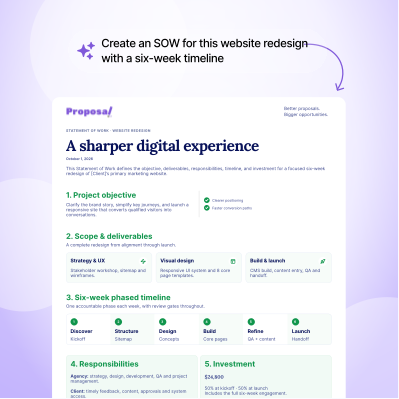
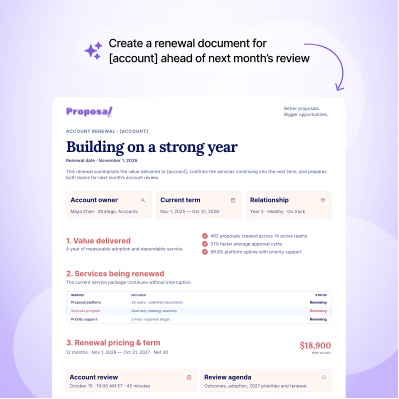
Add Proposal.biz to ChatGPT and every chat can end in a finished, branded document your client can sign. Tell ChatGPT what you need, Proposal.biz builds it, and a ready-to-send link drops straight into the conversation. No dashboard, no blank page, no reformatting.
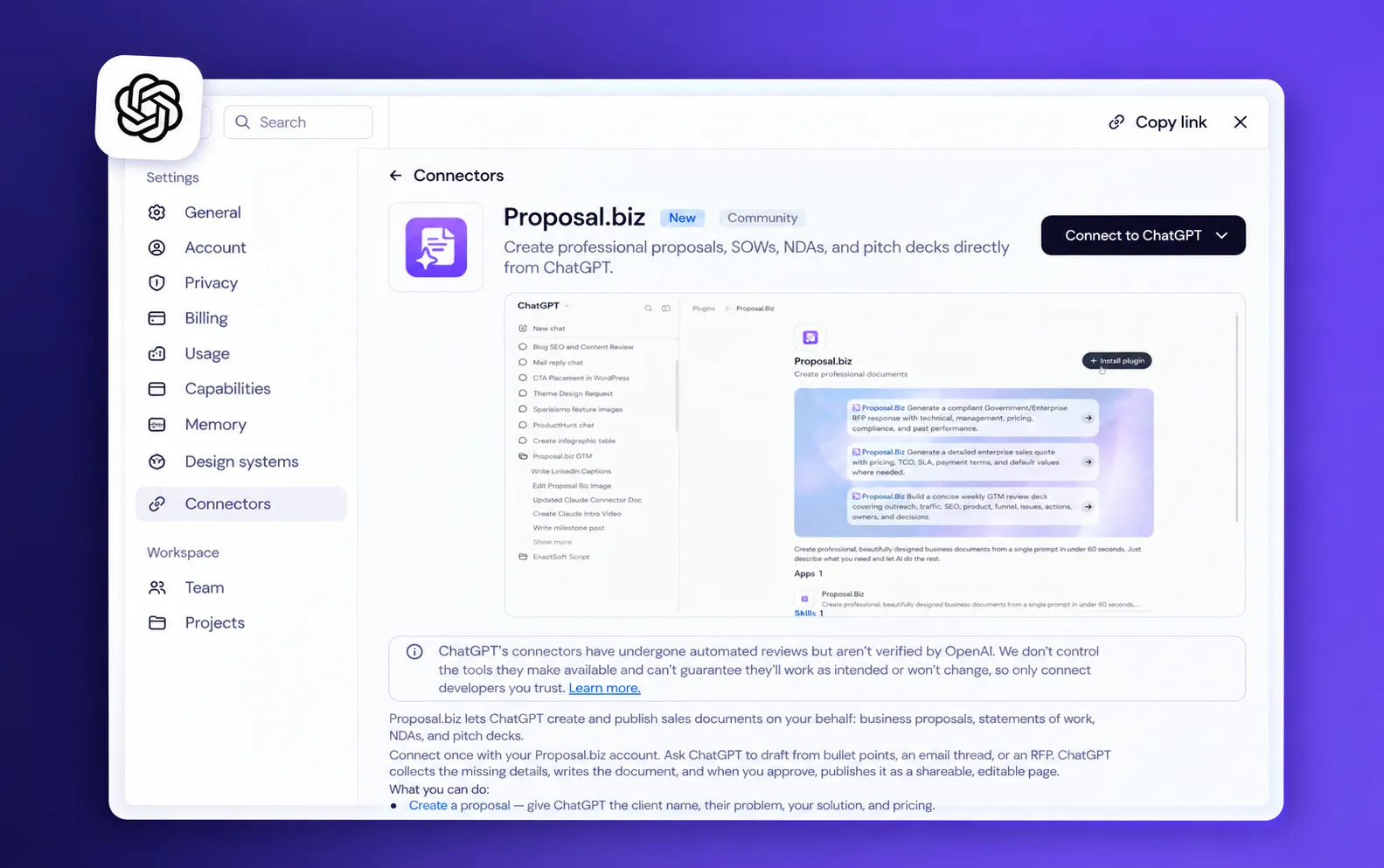
Ask ChatGPT. <em class="hero-v2-accent-serif text-hv2-brand font-normal">Send It Signed.</em>

Used by professionals at 100+ companies

Uffizio
Evoke Strategy
Charge&Go
Aktiv
Story99
Scribd
Prolexity
Hero
Accenture
Vyapar
Storyboard Films
Infosys
TCS
FinoWorks Technologies
Growlity
Uffizio
Evoke Strategy
Charge&Go
Aktiv
Story99
Scribd
Prolexity
Hero
Accenture
Vyapar
Storyboard Films
Infosys
TCS
FinoWorks Technologies
Growlity
Uffizio
Evoke Strategy
Charge&Go
Aktiv
Story99
Scribd
Prolexity
Hero
Accenture
Vyapar
Storyboard Films
Infosys
TCS
FinoWorks Technologies
Growlity

Why the Proposal.biz ChatGPT Plugin Exists

ChatGPT can write the words. Getting them in front of a client has always been the slow part.

Great Draft. Now What?

ChatGPT gives you solid copy in seconds. Then you spend the afternoon turning a wall of text into something you'd actually send a client.

Five Tabs for One Proposal

Chat in one window, template in another, pricing in a spreadsheet, logo in a folder. Every document becomes a scavenger hunt.

Plain Text Doesn't Close Deals

A pasted answer in an email looks like a pasted answer. Clients sign documents that look considered, not copied.

What Is the Proposal.biz ChatGPT Plugin?

The Proposal.biz ChatGPT plugin connects your Proposal.biz account to ChatGPT, so the documents you describe in chat get built for real. You prompt ChatGPT, the plugin sends that request to Proposal.biz, and Proposal.biz creates the document with your logo, colours, pricing, and messaging pulled from your content library. ChatGPT then hands you a link to the finished document, saved in your Proposal.biz account and ready to go.

So instead of copying text out of ChatGPT and fixing it somewhere else, you get a client-ready proposal, quote, SOW, or contract from the same window you started in. Ask for changes and the plugin updates that same document, keeping the link unchanged. Your client clicks, reads, and signs, all without downloading a thing.

If you use more than one AI assistant or need a custom setup, see the Proposal.biz MCP Server Connect feature.

Why Use Proposal.biz in ChatGPT?

Keep the chat. Lose the busywork between the idea and the signature.

Speed: Stop Formatting What ChatGPT Already Wrote

Describe it once and get a finished document back. The polishing hour you used to lose is gone.

Polish: Documents That Look Designed, Not Generated

Every document carries your logo, colours, fonts, and voice, straight from your content library. Clients see your company, not a chatbot.

Focus: One Window From Idea to Send

No jumping between templates, spreadsheets, and folders. Everything happens where you're already typing.

Confidence: Send Something Clients Want to Sign

A clean link that opens on any device, reads beautifully, and lets your client sign in the same place.
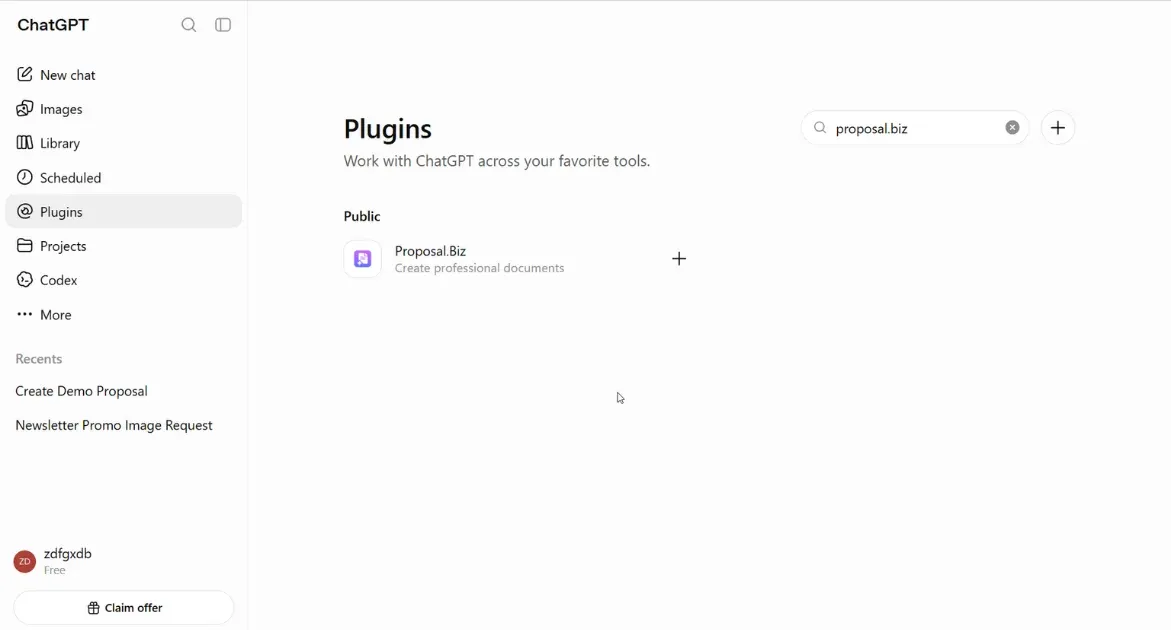
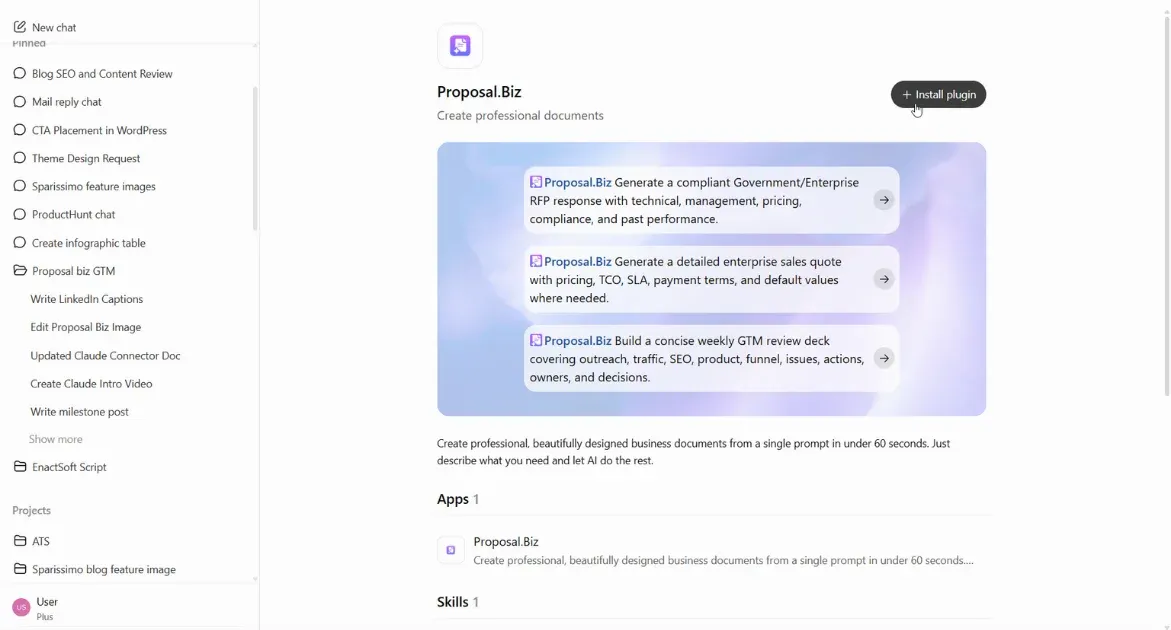
How to Set Up and Use Proposal.biz in ChatGPT

chatgpt.com
Search for the Proposal.biz Plugin
Step 01

Search for the Proposal.biz Plugin

  • In ChatGPT, open the plugin directory.
  • Type "Proposal.biz" into the search bar.
chatgpt.com
Install the Plugin
Step 02

Install the Plugin

  • Select Proposal.biz and click Add.
  • The plugin is now part of your ChatGPT account and ready in any chat.
chatgpt.com
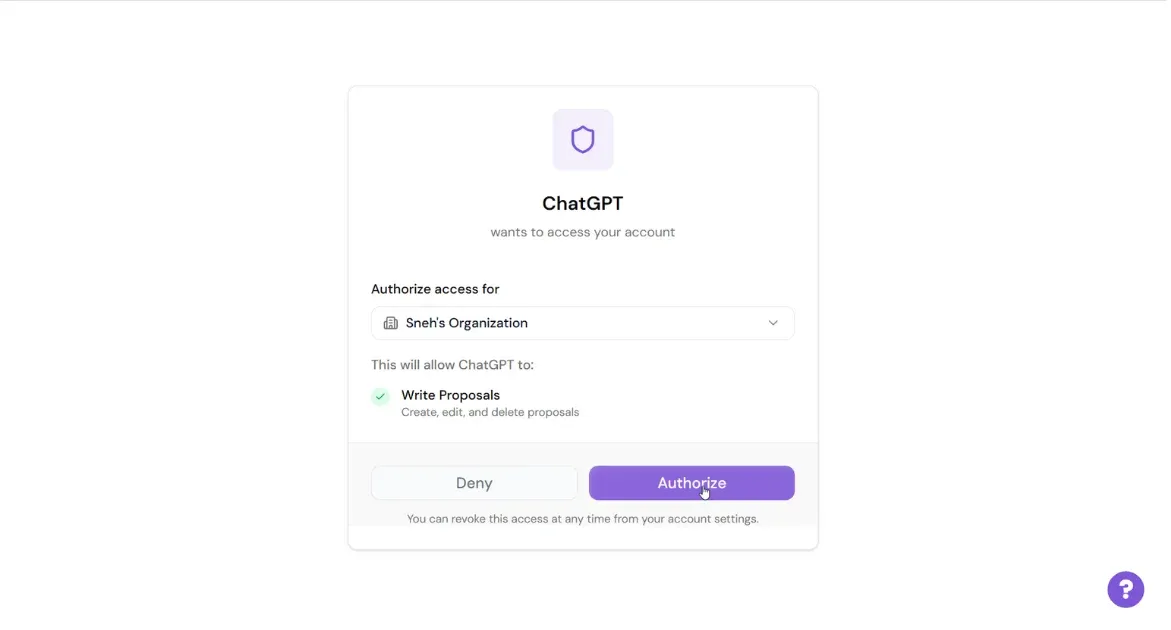
Authorise Your Proposal.biz Account
Step 03

Authorise Your Proposal.biz Account

  • Sign in to Proposal.biz and allow access when ChatGPT asks.
  • Links ChatGPT to your content library. New here? Create a free account.
chatgpt.com
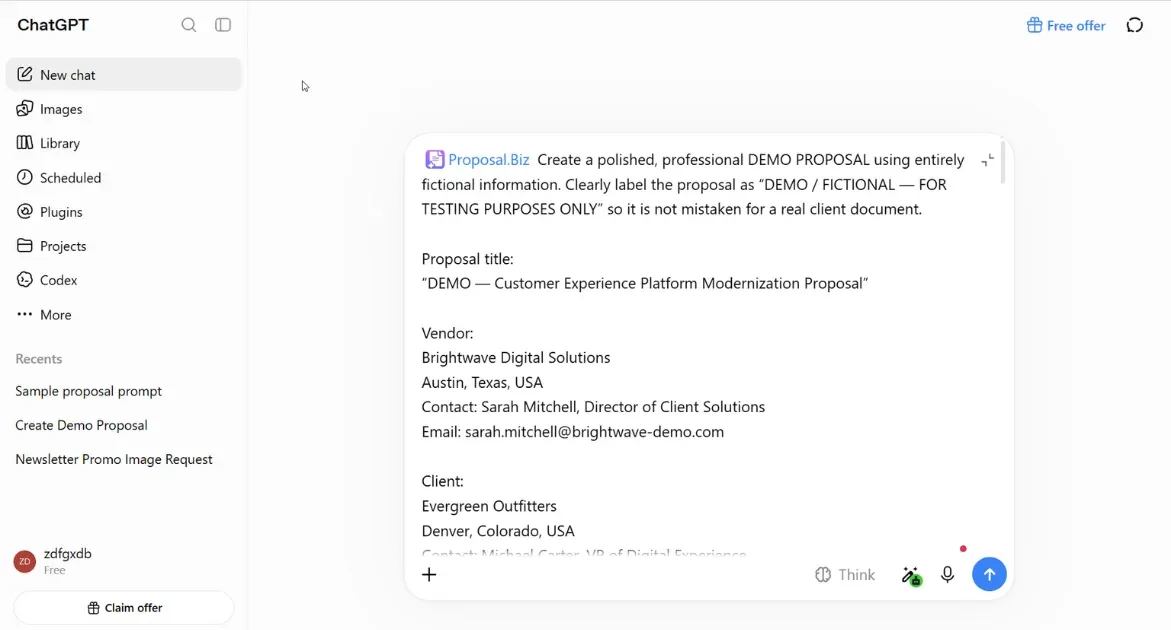
Ask ChatGPT to Create Your Proposal
Step 04

Ask ChatGPT to Create Your Proposal

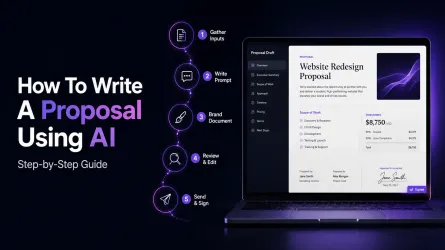
  • Start a chat and brief ChatGPT like a colleague. Add notes, scope, or price for a sharper draft.
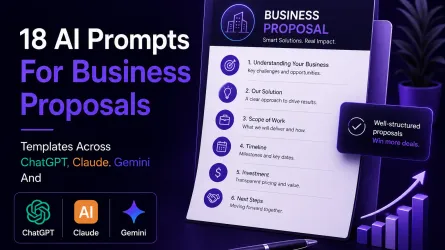
  • For example: "Use Proposal.biz to create a marketing proposal for [client] with three package options."
chatgpt.com
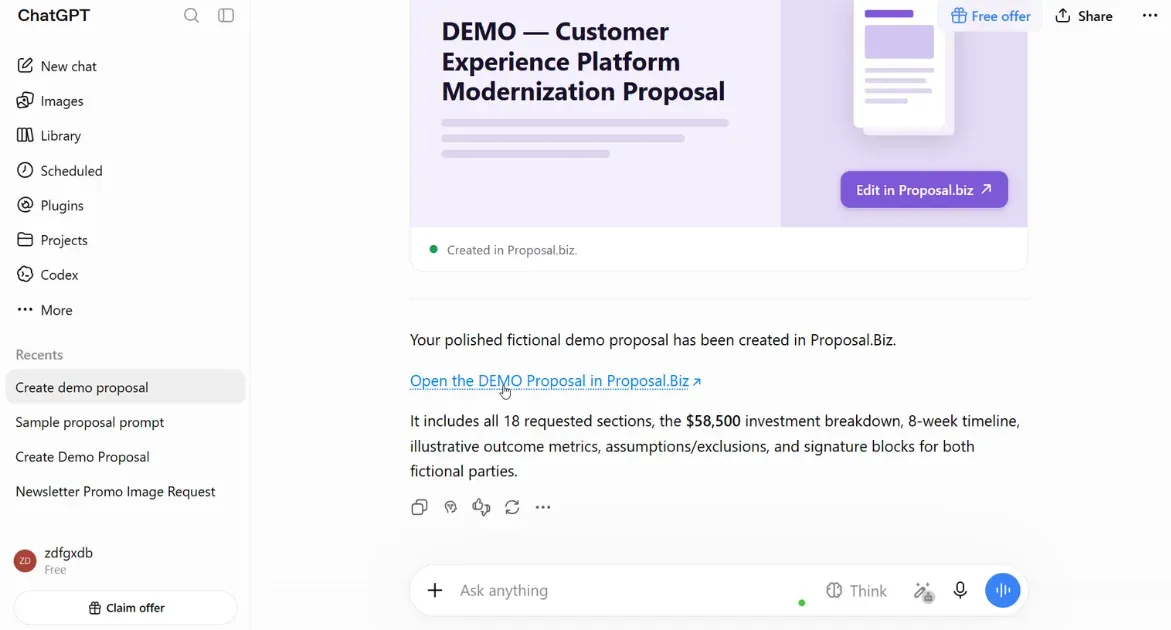
Get the Output in Your Chat
Step 05

Get the Output in Your Chat

  • Proposal.biz builds the document and ChatGPT drops a link to it straight into the conversation.
  • One prompt, one finished document.
app.proposal.biz
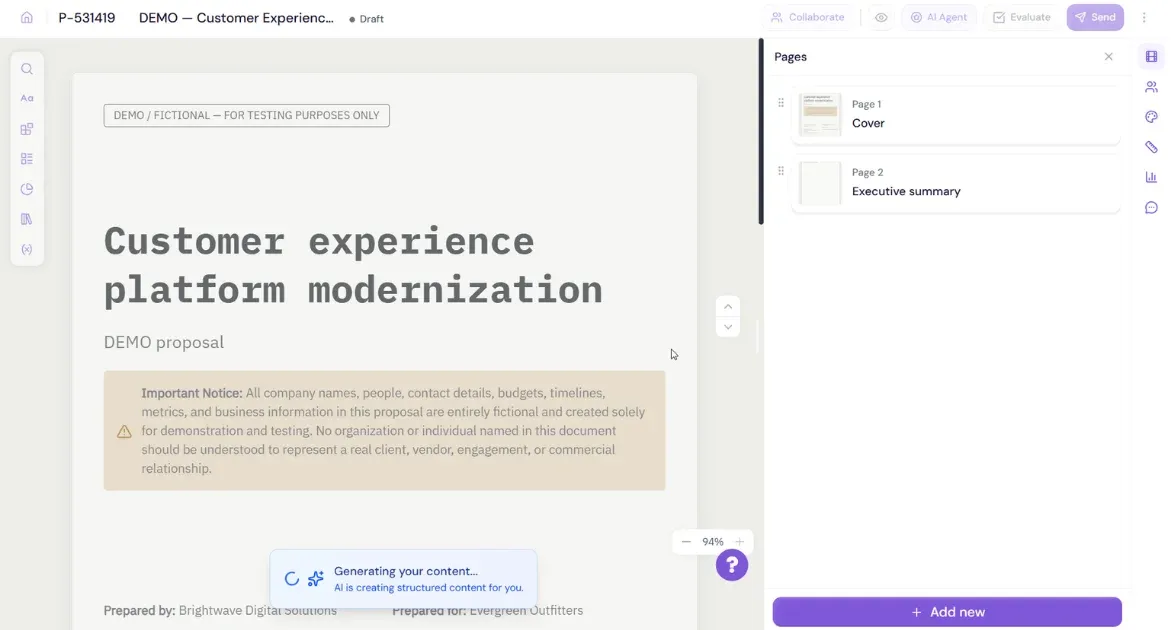
View the Full Document in Your Dashboard
Step 06

View the Full Document in Your Dashboard

  • Open the link or log in to your Proposal.biz dashboard.
  • The complete proposal is waiting in your folders, fully designed and ready to review, edit, and send.

What You Can Do With Proposal.biz in ChatGPT

Say it the way you'd say it to a colleague. Here's where most teams start.
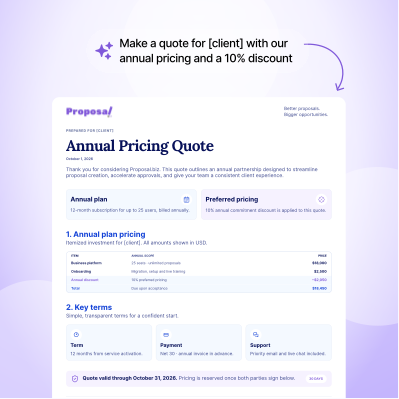
Sales

Sales

Agencies & Consultants

Agencies & Consultants

Operations & Account Management

Operations & Account Management

Proposal Writing Guides to Use With ChatGPT

Find prompts and practical guidance for turning a ChatGPT draft into a stronger client document.

Add to ChatGPT

Ready to turn a prompt into a client-ready document? Add Proposal.biz to ChatGPT.

From Dashboard to Signature Without the Busywork

Your document is ready. Four ways to take it the rest of the way.

Adjust It in ChatGPT

Change the timeline, swap a package, tighten the intro. Just ask, and the same document updates behind the same link.

Polish It in the Editor

Want the final say? Open it in the Proposal.biz editor and move blocks, update pricing tables, or swap images yourself.

Send It

Copy the trackable link into an email or message. Your client opens a polished document on any device, no download needed.

Collect the Signature

Your client signs right inside the document. You both get a confirmation email, and the signed status and date show in your Proposal.biz account.

Frequently Asked Questions

Find answers to common questions about our product and services.

It works as a ChatGPT plugin for proposals: you describe what you need, Proposal.biz builds a branded document with your content, and ChatGPT returns its link.
Yes. The plugin sends your request to Proposal.biz, which creates a branded proposal with a shareable link your client can open and sign.
Yes. Create proposals, quotes, SOWs, contracts, NDAs, retainer agreements, pitch decks, reports, one-pagers, and more. Name the document type in your prompt and Proposal.biz builds it.
No. They get a regular link that opens in any browser on any device. They read and sign right there, with no ChatGPT account or download.
Your Proposal.biz content library. Add your website URL once and Proposal.biz stores your logo, colours, fonts, tone, services, and pricing for every document it creates.
Yes, two ways. Ask ChatGPT for the change and the same document updates, or open it in the Proposal.biz editor and adjust it yourself.
Yes. They land in your Proposal.biz account and folders, alongside everything built in the dashboard.
ChatGPT sends your brief to Proposal.biz, which creates a branded document and returns the link in your conversation.
That depends on ChatGPT, not Proposal.biz. Check which ChatGPT plans support plugins in your account settings.
Your documents stay put. Everything lives in your Proposal.biz account, so disconnecting the plugin doesn't delete or change anything you've already created.

Your Next Signed Deal Starts in ChatGPT

Add Proposal.biz to ChatGPT and turn your next conversation into a branded, signable document your client can open anywhere.

Add to ChatGPT Free forever - No credit card.
Book a Demo