Table of contents8 Ways to Respond to an RFP Faster
Key takeaways
- Speed up the RFP response process by building a content library of approved answers, working from templates and giving each section a clear owner and deadline.
- Build a centralised content library, the heart of an efficient response and your go-to source for approved answers.
- Use RFP response software, because manual responses lead to delays, missed questions and version control nightmares.
- Proposal.biz keeps approved answers in Content Master and drafts and designs the response from a prompt in your brand style, so reuse and formatting stop slowing you down.
- Screen each RFP against your criteria before you commit, because not every RFP deserves a response.
- Set internal time limits for getting information from other teams, since RFPs often fail through delays inside the company.
- Review each RFP after submission, so every response teaches you something that makes the next one faster.
To speed up the RFP response process, build a content library of approved answers, work from templates, and give each section a clear owner and deadline. The eight steps below show how.
Responding to a Request for Proposal (RFP) is a critical part of winning business in many industries, especially in B2B, government contracting, and professional services. However, the response to an RFP can be slow, repetitive, and resource-intensive if not optimized.
The good news? With the right systems in place, you can respond to RFPs much faster, without sacrificing the quality that gets you shortlisted.
Here’s how to cut your response time significantly while staying sharp and competitive.
8 Ways to Respond to an RFP Faster
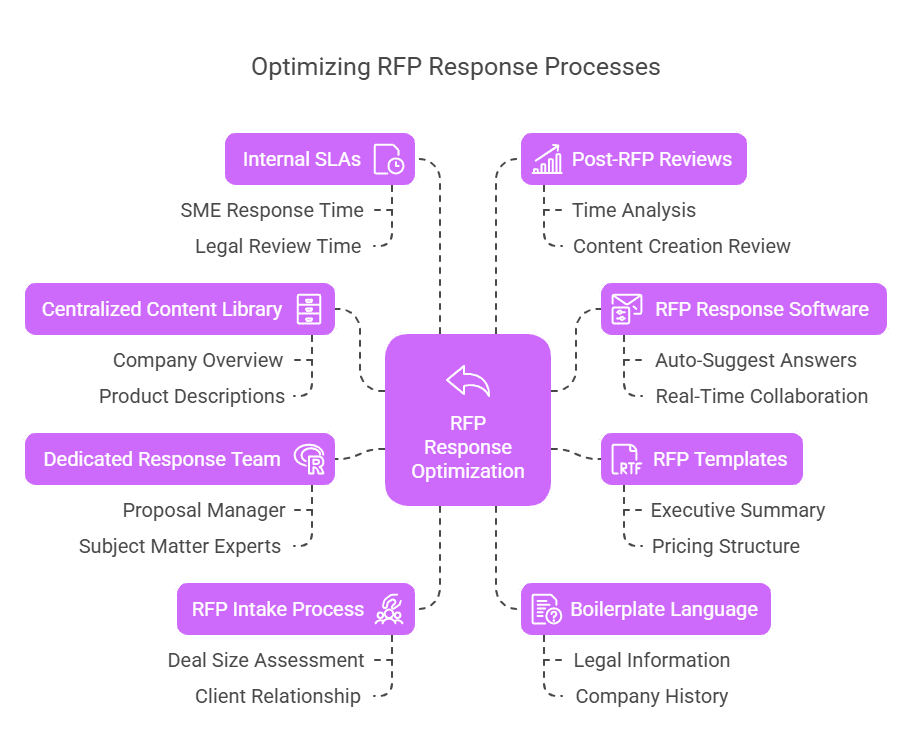
1. Build a Centralized Content Library
A well-maintained content library is the heart of an efficient response to an RFP process. It serves as your go-to source for pre-approved, reusable content, eliminating the need to rewrite common answers.
What to include:
- Company overview, mission, and values
- Team bios and organizational structure
- Product/service descriptions and differentiators
- Technical specifications, compliance statements, and certifications
- Case studies and testimonials
- Sample pricing structures
- Legal disclaimers and contract terms
How to manage it:
- Organize content by category or use tags (e.g., “security,” “pricing,” “customer support”)
- Keep track of content freshness and version history
- Assign content owners for regular updates and approvals
- Use cloud-based or RFP-specific platforms to make access easy across departments
Bonus tip: Include “win-ready” content: language that’s been proven to resonate with evaluators in past wins.
2. Use RFP Response Software
Manual RFP responses lead to delays, missed questions, and version control nightmares. RFP response software automates much of the heavy lifting and helps manage the response end-to-end.
Key features to look for:
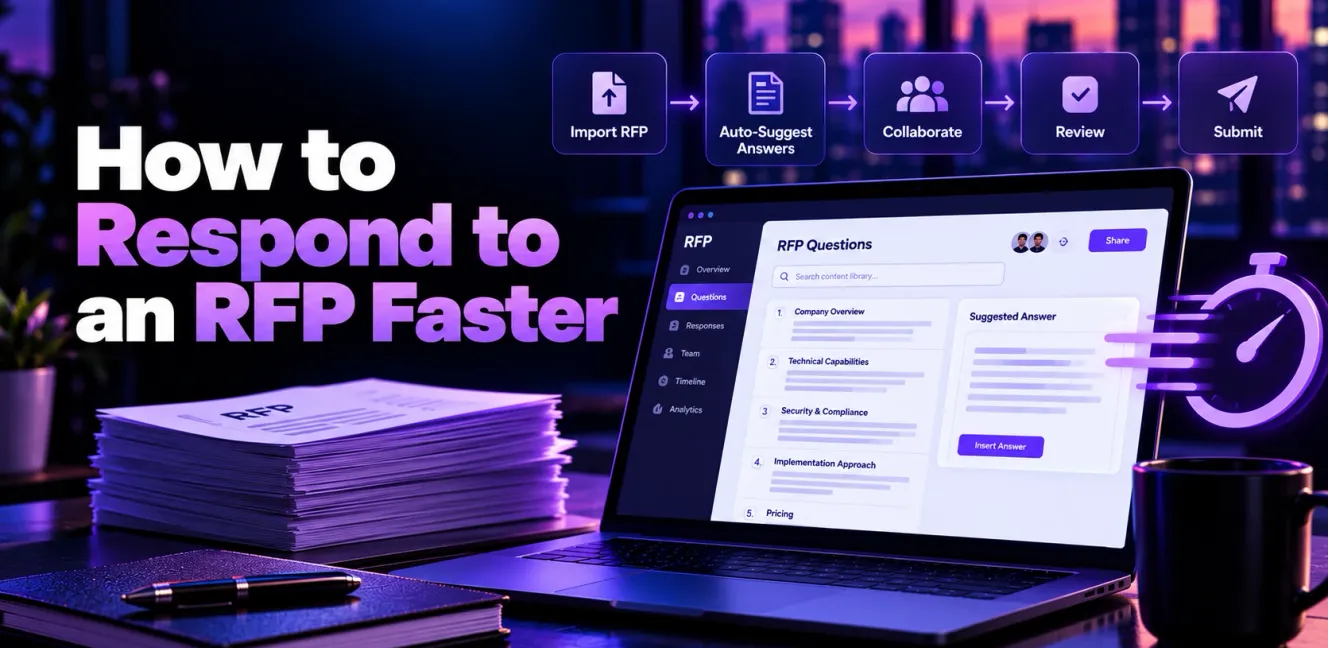
- Ability to upload/import RFP documents directly
- Auto-suggest answers from your content library
- Real-time collaboration with comments and task assignments
- Workflow tools to manage deadlines and approvals
- Integrated analytics to track usage and performance
Top tools: Loopio, RFPIO, RFP360, Qvidian, Responsive.io
These platforms can cut your response time by as much as 40-60% while improving quality and consistency across your submissions.
3. Create RFP Templates
Most RFPs follow a similar structure, especially within the same industry or customer type. By creating reusable templates, you avoid starting from scratch each time.
Types of templates to create:
- Executive summary framework
- Company and team introduction
- Scope of work/sample methodologies
- Pricing structure and justification
- SLA and support offerings
- Frequently asked compliance answers
Use placeholders for client-specific details like company name, project scope, and dates. This gives you a head start and allows you to spend time where it matters: customizing the strategic parts of your response.
4. Assign a Dedicated Response Team with Clear Roles
Too many RFPs get slowed down due to unclear responsibilities or scattered input. A structured team approach accelerates turnaround and ensures accountability.
Suggested roles:
- Proposal Manager: Owns the RFP process, tracks timelines, and communicates with stakeholders.
- SMEs (Subject Matter Experts): Provide technical or specialized content.
- Writers/Editors: Ensure clarity, consistency, and polish.
- Reviewers: Approve final versions and verify accuracy.
- Sales Lead: Aligns the response with the customer’s strategic goals.
Clearly defined responsibilities ensure that everyone knows what to do, and when.
5. Standardize the RFP Intake and Qualification Process
Not every RFP deserves a response, so screen each request for proposal against your criteria before you commit. A qualification framework helps you quickly assess whether the opportunity aligns with your business goals, saving time and resources in your response to an RFP.
Build a go/no-go checklist based on:
- Deal size and potential revenue
- Fit with your capabilities or offerings
- Competitor landscape
- Historical relationship with the client
- Probability of winning (based on past experience)
This clarity helps your team prioritize high-potential opportunities and say “no” to the rest, faster.
6. Use Boilerplate Language for Common Answers
Some RFP questions appear in nearly every proposal. Think about your company’s background, legal information, IT infrastructure, or security protocols. These answers rarely change and should be written once, approved, and reused. Leveraging RFP response software can help streamline the process, leading to faster RFP responses and more efficient proposals.
Examples of boilerplate content:
- GDPR and data privacy statements
- Insurance and liability information
- Disaster recovery plans
- Company history and leadership bios
- Support and maintenance policies
Keep these sections stored in your content library, and label them clearly as “final” or “pre-approved” for plug-and-play use.
7. Set Internal SLAs (Service Level Agreements)
RFPs often fail due to delays in getting information from internal teams. Setting internal SLAs (time limits on when tasks need to be completed) creates accountability and urgency.
For example:
- SMEs must return draft answers within 48 hours
- Legal and compliance teams review within 72 hours
- Proposal review completed 3 days before submission
You can even automate reminders and approvals using your project management or RFP response software tools. Time-based expectations help prevent bottlenecks, especially when dealing with tight deadlines.
8. Conduct Post-RFP Reviews to Improve Continuously
Once you’ve submitted an RFP, don’t just move on to the next one. Conduct a quick internal review to learn and improve your next response.
Ask questions like:
- Where did we spend the most time?
- What content did we have to create from scratch?
- Were any approvals delayed?
- Did we meet our internal deadlines?
- Did we win the deal? If not, why?
Document your findings and update your content library or processes accordingly. These reviews lead to smarter workflows and faster turnarounds over time.
Final Thoughts
The key to faster RFP responses lies in preparation, structure, and smart tools. By investing upfront in your content library, using automation, assigning clear roles, and constantly learning from each bid, you’ll not only respond faster. You’ll respond better.
Faster RFP responses don’t just save time. They free up your team to focus on strategy, messaging, and ultimately… winning.
Tools To Improve RFP Turnaround Time
Four kinds of tools shorten turnaround time: a content library that stores approved answers, RFP response software that matches questions to those answers, templates for the sections you write every time, and collaboration tools that let several people work at once. Start with the library, because every other tool depends on it. See our guides to RFP response tools, the RFP response database and the content master feature.
Frequently Asked Questions
How can I speed up the RFP response process?
Build a library of approved answers, use templates, assign each section to one person with a deadline, and qualify RFPs before you start so you only write the ones you can win on fit.
Which tools improve RFP turnaround time?
A content library, RFP response software, templates and a shared workspace for the team. Start with the content library.
What slows RFP responses down the most?
Searching for old answers, unclear ownership of sections and late reviews. Fixing those three usually saves the most time.