
Table of Contents
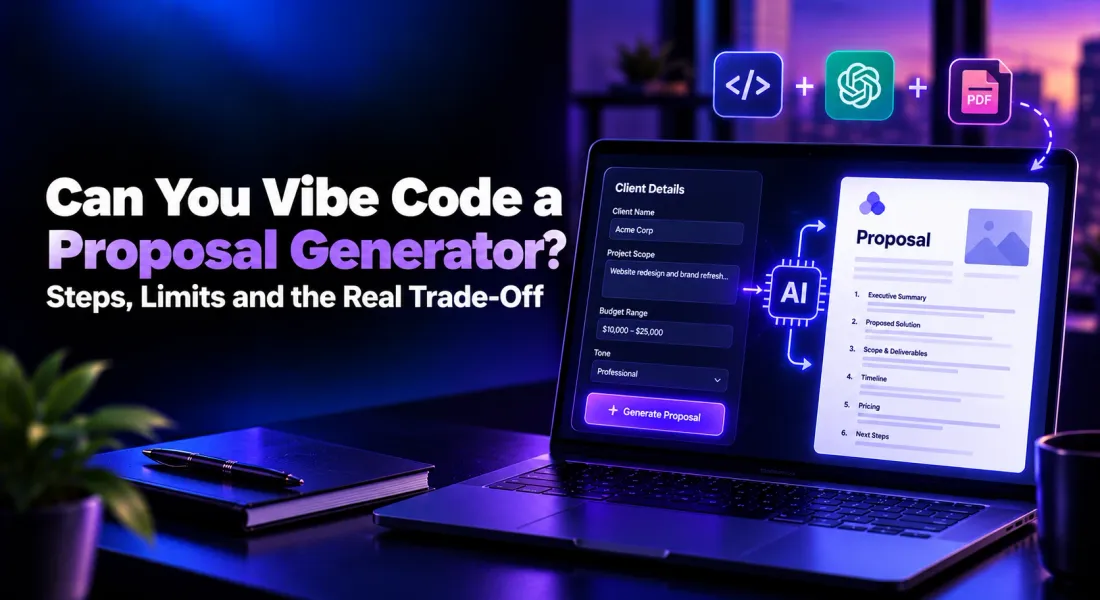
Can You Vibe Code a Proposal Generator? Steps, Limits and the Real Trade-Off
Short answer: yes. With a prompt-to-app builder and an AI model, you can vibe code a proposal generator in an afternoon. Type in a client name, the scope and a budget, and a structured proposal draft comes back. No engineering background needed.
That is what most people searching this want to know, so this guide starts there. You get the exact build steps, a spec prompt you can paste straight into your build tool, and an honest list of what the finished tool does well.
Then we go a step further than most guides. A proposal generator is easy to build. A proposal process that gets documents opened, signed and paid is a different project. We will show you exactly where that line sits, so you can decide which side of it you need.
Yes, You Can Vibe Code a Proposal Generator
Vibe coding means describing the software you want in plain language and letting an AI tool write the code. A proposal generator has very few moving parts: a form, a call to an AI model, a template and an export button. Each of those sits well inside what current tools build reliably.
It is a good fit if you are a freelancer or small agency sending a handful of proposals a month, if you want to learn how AI apps fit together, or if you use an internal format nobody else sells. It is a weaker fit if a team will rely on it every week, because that is when the work after “it runs” starts to pile up.
Before you build anything, decide what a good output looks like. Read through the anatomy of a winning proposal and list the sections every draft must include. That list becomes the backbone of your prompt.
How to Vibe Code a Proposal Generator in 8 Steps
These steps assume a browser-based builder and no prior coding. If you already work in a code editor, the same order applies; you just have more control at each step.
1. Write a One-Line Brief for the Tool
Start with one sentence: “A web app where I enter client details and project scope, and it drafts a proposal with fixed sections that I can edit and download.” Keep it that narrow. Vibe-coded apps go wrong when the first prompt asks for everything at once.
Then write down the inputs: client name, company, problem, scope, timeline, budget range and tone. These become your form fields.
2. Choose Your Build Tool
You have two broad options. Prompt-to-app builders run in the browser and handle hosting, a database and login for you, which makes them the easiest start for non-developers. AI coding assistants work inside a code editor and give you more control, but expect you to read and fix code.
If you have never coded, pick a browser-based builder. Most let you export the code later if you outgrow them.
3. Paste a Detailed Spec Prompt
Give the builder the full spec in one go rather than feature by feature. Here is one you can adapt:
Build a web app called Proposal Drafter. Page 1 is a form with these fields: client name, client company, client problem (long text), scope of work (long text), timeline, budget range, and tone (dropdown: formal, friendly, direct). On submit, send the inputs to an AI model with a system prompt that returns a proposal with these sections: cover page, executive summary, understanding of the problem, proposed solution, scope and deliverables, timeline, pricing table, next steps. Show the draft on Page 2 in an editable rich-text view with my logo at the top. Add a button to regenerate any single section and a button to download the whole proposal as a PDF. Save every proposal to a list on Page 3, showing client name and date.
Expect a working first version, followed by a few rounds of fixes. Describe each bug in plain language and ask the builder to fix only that bug, so it does not rewrite parts that already work.
4. Connect an AI Model With a Strong System Prompt
Most builders ask for an API key from an AI model provider. Usage is billed per request, so every draft and every regenerated section costs a little.
The system prompt matters more than the app itself. Tell the model the section order, your services, your pricing rules and the phrases to avoid. Paste in two or three past proposals that won as reference material. Without them, every draft reads like a generic template.
If you do not have strong past examples, a ready-made sales proposal template is a useful reference for section order and tone.
5. Add Your Brand Styling
Upload your logo, set your colours and fonts, and ask the builder to apply them to both the on-screen draft and the PDF export. Then check the PDF properly.
Page breaks, table widths and fonts are where generated exports break most often. A pricing table split across two pages is the classic giveaway of a homemade tool.
6. Add Login and Storage
If anyone besides you will use it, you need accounts and a database, so proposals do not vanish on refresh. Browser builders usually add this in a prompt or two.
Ask for each user to see only their own proposals, then test it with two separate accounts before anyone else logs in.
7. Test With Real Client Briefs
Run three real past briefs through the tool and compare the output with what you actually sent. Where the draft falls short, fix the system prompt rather than the individual draft, so the improvement carries into every future proposal.
8. Deploy and Use It on a Live Deal
Publish the app, bookmark it and use it on your next real proposal. That is the build done, and you now own a working AI drafting tool.
If steps two to seven sound like more tinkering than you want, you can also generate a branded draft from your website URL and skip the build. Either way, keep reading. The next sections matter for both routes.
What a Vibe-Coded Proposal Generator Does Well
Credit where it is due. A tool built this way genuinely solves the blank-page problem, and for some people that is the whole job.
- Fast first drafts: a structured proposal from a short form in seconds.
- Your exact format: sections, wording and pricing rules match how you sell, because you wrote them.
- Low cost to start: a builder subscription plus pay-per-use AI calls.
- Full control: change anything by prompting the builder again.
- A skill you keep: you learn how AI apps fit together, which pays off well beyond proposals.
For a solo consultant drafting a few proposals a month, that may be enough. If that is you, build it and enjoy it.
What a Vibe-Coded Proposal Tool Cannot Do Without Much More Building
The limits do not show up on day one. They show up the first time a client goes quiet, a teammate asks for access, or a deal needs signing by Friday. A drafting tool covers the first step of a document’s life. Everything after the download button is still manual.
It is the same gap we covered in why ChatGPT, Gemini and Claude cannot replace a proposal tool: generating the text is the easy part.
It Goes Silent After You Hit Send
Your generator exports a PDF. You attach it to an email. Then you wait, with no idea whether the client opened it, how far they read, or whether it ever reached the person who signs off.
Building tracking yourself means hosting each document as a web page, logging views, storing those events and building a dashboard to read them. That is a second app, not a feature. Teams that track proposal engagement follow up based on what the client actually did, not on a calendar reminder.
Signing Happens Somewhere Else
Once the client says yes, they need to sign. Your homemade tool does not handle that, so you upload the PDF to a separate signing service, place the fields and send yet another email.
Every extra step between “yes” and “signed” is a chance for the deal to stall.
Payment Is Another Tool Again
Deposits and upfront fees mean an invoice, a payment link and manual matching of who paid what. Wiring a payment provider into a vibe-coded app is possible, but you are then handling failed payments, refunds and edge cases in code you did not write.
Brand Consistency Depends on You
Your logo and colours are hard-coded. Your services, case studies, team bios and pricing live in a system prompt you update by hand.
When a service changes, someone has to remember to change the prompt too. Within a few weeks, proposals quietly drift out of sync with your website.
Your Team Cannot Work on It Together
Live co-editing and inline comments are some of the hardest features to build well. Most DIY generators end up as one person’s tool, with drafts passed around as downloaded files and “final_v3” in the file name.
It Only Knows One Document
You built a proposal generator. Next month you need a statement of work, then a quote, then an NDA. Each new document type is another round of prompts, layouts and testing.
Someone Has to Maintain It
AI model versions change, builder platforms adjust their pricing and limits, and the libraries underneath your app age. When something breaks the week before a big pitch, you are the support team.
Code you did not write is also code that is hard to fix, and every fix costs more prompting and more credits. You also become responsible for the client names, pricing and contact details stored in your database.
The Real Cost When You Build Your Own Proposal Generator
The builder subscription and AI usage are the visible costs. The bigger ones never appear on an invoice.
- Build time: an afternoon for the first version, then several more sessions to get PDF export, login and styling right.
- Fix time: each bug is a round of prompting, testing and spending credits.
- Feature time: every new document type, integration or team request is another mini project.
- Opportunity cost: hours spent on the tool are hours not spent selling or delivering.
Add these up honestly before you commit. The ROI of proposal software comes down to the same maths: hours saved on every document against the hours it takes to get there.
Vibe-Coded Proposal Generator vs a Modern Proposal Tool
Here is how the two routes compare once you look past the first draft.
| Capability | Vibe-coded generator | Modern proposal tool (Proposal.biz) |
|---|---|---|
| Setup | An afternoon to build, then ongoing fixes | Paste your website URL and start |
| AI drafting | Yes, from your system prompt | Yes, from a prompt plus your brand library |
| Brand styling | Hard-coded logo and colours | Extracted from your website automatically |
| Services, case studies, pricing | Pasted into a prompt, updated by hand | Stored in a reusable content library |
| Document types | Proposals only, unless you build more | Proposals, SOWs, quotes, contracts, decks, one-pagers and more |
| Sharing | PDF attachment | Trackable web link that opens on any device |
| Engagement tracking | None | Opens and scroll depth per document |
| E-signatures | Separate tool | Inside the shared document |
| Payments | Separate tool or custom code | Payment link inside the document |
| Team collaboration | Passing files around | Live co-editing and inline comments |
| Organisation | A list page you built | Folders for every client and document |
| Maintenance | Yours | Handled for you |
| Best for | Solo users with a fixed format and time to tinker | Teams sending client documents every week |
If the right-hand column is closer to what you need, run your next brief through Proposal.biz before you spend a weekend building.
What You Miss Without a Tool Built for the Whole Document Lifecycle
The difference is not the AI. Both routes use capable models. The difference is everything wrapped around the draft. Here is what that looks like in Proposal.biz, stage by stage, so you can hold it up against the build you just planned.
Your Brand, Pulled Straight From Your Website
Paste your website URL and Content Master extracts your logo, colours, fonts, tone, services, pricing, team bios and case studies into a reusable library. Every document you generate draws from it.
Update a service once and every new document reflects it. There is no system prompt to babysit.
A Full Draft From One Prompt, in Any Document Type
Describe what you need and Proposal.biz drafts a complete, branded document in about 60 seconds. Proposals, SOWs, quotes, retainer agreements, NDAs, pitch decks and one-pagers all draw on the same library.
Prefer a starting structure? Templates such as the consultant SOW template give you a head start you can rewrite in seconds.
Document Chat sits inside the editor, so you can ask it to tighten a section, shift the tone or rewrite pricing copy without leaving the page.
Send a Link, Then See What Happens
Documents go out as trackable links that open on any device, not as attachments. Document analytics and engagement tracking show when the client opened it and how far they scrolled.
Your follow-up lands at the right moment and opens with the point the client actually cared about.
Sign and Get Paid in the Same Window
Clients sign with built-in e-signatures inside the same link they have been reading. Proposal.biz records the signed status and date, and both parties receive a confirmation email.
Add a payment link and the client pays the deposit straight after signing. No second invoice, no extra email.
Team Editing and Organised Folders
Your team edits live and leaves inline comments on the same document. Everything lives in folders by client or project, so finding last quarter’s SOW takes seconds instead of a dig through downloads.
CRM sync and automated reminders keep each document connected to the rest of your sales process, without a line of custom code.
When Building Your Own Still Makes Sense
Building is the right call in a few cases, and it is worth being straight about them.
- You want to learn: building an AI app end to end teaches you a great deal.
- Your format is genuinely unusual: a niche internal document that no tool supports.
- Your volume is tiny: a few proposals a year, with no need for tracking, signing or payment.
If you send client documents every week, work with a team, or chase signatures and payments, the build turns into a second job. That is the point where a purpose-built tool pays for itself.
Final Word
You can absolutely vibe code a proposal generator, and the steps above will get you a working one. It will draft well. What it will not do is tell you the client read your pricing section twice, collect a signature, take a deposit or keep every document in step with your brand. Those are the parts that close deals.
Build it if drafting is all you need. If you want the whole lifecycle in one window, run the same brief through Proposal.biz and compare the two outputs side by side.
Frequently Asked Questions
Can I vibe code a proposal generator with no coding experience?
Yes. Browser-based prompt-to-app builders let you describe the tool in plain English and handle hosting and login for you. Budget extra time for testing and fixing the PDF export, login and styling, as these take the most rounds of prompting.
How much does it cost to vibe code a proposal generator?
The direct costs are a builder subscription and AI model usage, which is billed per draft or regenerated section. The larger cost is your time: fixing bugs, adding document types, and maintaining the tool as models and platforms change.
Is a vibe-coded proposal generator good enough for client work?
For drafting, it often is, provided your system prompt includes your services, pricing rules and examples of proposals that won. The gaps appear after sending, when you need tracking, signatures, payment and team editing.
Can a vibe-coded proposal tool show when a client opens a proposal?
Not out of the box. Most homemade tools export a PDF, which cannot report views. Tracking requires hosting each document as a web page and logging activity, which is effectively a second app.
What is the difference between an AI proposal generator and proposal software?
A generator drafts the document. Proposal software manages the whole lifecycle: creating, sharing, tracking, signing and getting paid. Proposal.biz combines both, with AI drafting built on your own brand library.
Should I build my own proposal generator or use Proposal.biz?
Build your own if you want to learn, send very few proposals, or use a format no tool supports. Use Proposal.biz if you send client documents every week, work with a team, or want opens, signatures and payments in one place.

Ronak Surti
 Dimple Maru
 Prabir Chaudhary
 Ronak Surti
![Curated List of Best Proposal Software Tools in 2025 [Strength and Weaknesses]](/_astro/proposal_softwaretools.DWLFJBFS_1kwJoK.webp)