
Table of Contents
Interactive Proposals: What They Are, Examples & How to Create One
You’ve spent hours preparing a client proposal. The scope is clear, the pricing is ready, and everything looks professional. You export it as a PDF, attach it to an email, and hit send.
Then you wait.
Did the client open it? Did they review the pricing? Do they have questions?
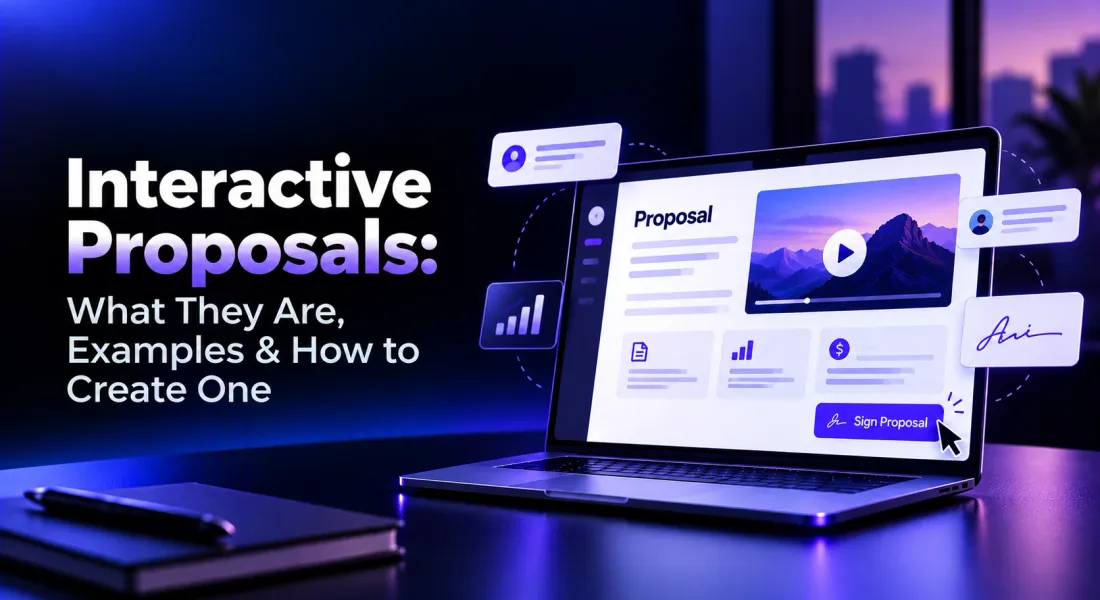
Interactive proposals offer a different approach. Instead of sending a document clients can only read, you share an online proposal where they can watch videos, explore information, leave feedback, and complete actions such as signing.
With modern proposal creation software, businesses can combine professional document design with interactive features that simplify the client review process.
This guide explains what interactive proposals are, how they compare with PDFs, which features matter, and how to create one for your business.
What is an interactive proposal?
An interactive proposal is a digital business proposal that allows recipients to engage with its content and take actions directly within the document experience, rather than simply reading a static file.
Unlike traditional documents, interactive proposals can include clickable buttons, embedded videos, client comments, electronic signatures, and other elements that support communication and decision-making.
For example, a software development company could send a proposal where the client can:
- Watch a short video explaining the solution.
- Navigate to specific project sections.
- Review the scope, timeline, and pricing.
- Ask questions about deliverables.
- Schedule a discussion through a clickable button.
- Sign the proposal online.
Some interactive proposal software also supports configurable pricing, forms, or embedded payments. These features vary by platform.
The goal isn’t to add more interactive elements. It’s to make the proposal easier to understand, review, and act on.
Interactive proposals vs. traditional PDF proposals
PDF proposals remain useful because they’re easy to download, print, and archive. Interactive proposals focus on making the client review and acceptance process more convenient.
| Feature | Traditional PDF | Interactive proposal |
|---|---|---|
| Format | Downloadable document | Usually browser-based |
| Videos | Usually linked externally | Can be embedded |
| Client feedback | Email or separate review tools | Can be collected within the document |
| Pricing | Typically fixed tables | May support configurable options |
| Engagement tracking | Requires additional tools | May include opens and section analytics |
| E-signatures | May require another workflow | Can be built in |
| Updates | Revised files are often resent | Some platforms update the same link |
PDFs can include hyperlinks and fillable fields. The main difference is whether the proposal offers a connected experience for reviewing information, communicating, and completing the next step.
Choose a PDF when clients require fixed documents for procurement, printing, or recordkeeping.
Choose an interactive proposal when you need client feedback, visual demonstrations, engagement tracking, or a more convenient signing process.
7 key features to look for in interactive proposal software
Not every feature matters equally. Focus on what helps clients evaluate your offer and make decisions.
1. Embedded videos and visual content
A short video can explain a complex solution more effectively than several paragraphs.
For example, a software agency might embed an application walkthrough, while a marketing agency could show previous campaign results.
Look for video embeds, responsive playback, and flexible image layouts. The media should support the written proposal, not replace essential information.
2. Clickable calls to action
Interactive proposals can include action buttons such as:
- Schedule a project discussion
- View a product demonstration
- Review a case study
- Proceed to acceptance
Place buttons where they make sense. A scheduling CTA near the pricing section may help clients clarify questions before signing.
3. Client comments and feedback
Clients often request changes to pricing, timelines, or deliverables.
With section-level comments, they can ask questions directly on the relevant content instead of starting another email thread.
Look for comment notifications, replies, and separation between internal discussions and client-visible feedback.
4. Interactive pricing options
Some interactive sales proposal platforms allow clients to select services, adjust quantities, or choose packages with automatically calculated totals.
For example:
| Package | Services | Monthly price |
|---|---|---|
| Essential | Campaign setup and reporting | $1,000 |
| Growth | Management and optimization | $2,000 |
| Premium | Growth services plus creative strategy | $3,500 |
Illustrative pricing only.
Other platforms provide editable pricing tables without allowing buyers to change selections.
Confirm whether a tool supports buyer-configurable pricing before choosing it.
5. Document engagement tracking
Interactive proposal platforms may show when a document was opened, how long recipients viewed it, and which sections received attention.
This helps sales teams prepare relevant conversations.
For example, if a client spends time reviewing the timeline, you might prepare to discuss delivery milestones.
However, engagement doesn’t necessarily mean buying intent. A long viewing session could indicate interest, confusion, or internal comparison.
Our guide to tracking proposal engagement explains how to interpret these signals.
6. Built-in electronic signatures
Instead of downloading, printing, and signing a proposal separately, clients can complete signatures within supported online document experiences.
Look for signer assignments, signing notifications, completion records, and compliance with your organization’s requirements.
Platforms with built-in e-signatures can reduce the number of steps between reviewing and accepting a proposal.
7. Mobile-friendly viewing
Clients may open proposals on their phones.
Check whether text, pricing tables, videos, CTA buttons, and signature fields work correctly on smaller screens.
Interactive elements offer little value if recipients struggle to use them.
Interactive proposal examples for different businesses
Here are three practical examples of how businesses can use interactive proposals.
Example 1: Marketing agency proposal
A marketing agency pitching a six-month engagement can include:
| Section | Interactive element |
|---|---|
| Introduction | Video from the account strategist |
| Previous work | Clickable case studies |
| Services | Structured pricing packages |
| Timeline | Visual campaign milestones |
| Next steps | Schedule-a-call button |
| Acceptance | Electronic signature |
The client can explore previous work, understand the service packages, and discuss the engagement without requesting a separate presentation.
Example 2: Software development proposal
A software company proposing a custom customer portal might include:
- A video demonstrating the proposed user experience.
- Links to previously delivered applications.
- A structured scope of work.
- Timeline and development milestones.
- Project investment and payment terms.
- Section-level comments for technical questions.
- Electronic signatures for acceptance.
This helps the client clarify requirements before committing to the project.
Example 3: Consulting proposal
A consultant proposing an operational improvement engagement might include a short introduction video, a visual methodology, case study links, and a project timeline.
The client can comment on deliverables and sign once both parties agree.
These are illustrative workflows, not measured customer case studies.
How to create an interactive proposal in 6 steps
You don’t need a complicated document. A clear structure, relevant interactive elements, and a simple next step are enough for many businesses.
Step 1: Gather the project requirements
Collect the client’s business needs, objectives, proposed solution, deliverables, timeline, and pricing.
A clear proposal usually includes an executive summary, scope, implementation plan, investment, and acceptance details.
For more guidance on structuring these sections, see our business proposal writing guide.
Step 2: Choose a platform and create your draft
Select software based on the interactive capabilities you need, such as videos, comments, tracking, or signatures.
Start from a template, import an existing document, or use AI to generate the initial draft.
AI can speed up writing, but the team must verify all promises, prices, deadlines, and deliverables.
Our guide on writing proposals with AI covers that process.
Step 3: Add relevant interactive elements
Include elements that genuinely help the reader:
- An introduction video.
- Clickable portfolio or case study links.
- Clear pricing tables.
- Buttons for scheduling discussions.
- Client comments and signature fields.
Avoid overcrowding the proposal. Every element should serve a purpose.
Step 4: Review the client experience
Preview the document on desktop and mobile devices.
Check that buttons work, videos play, pricing is accurate, and signatures are assigned correctly.
Also confirm that internal comments, confidential notes, or draft assumptions aren’t visible to recipients.
Step 5: Share the proposal
Send the proposal through the platform’s supported sharing process.
Where available, use recipient-specific links to distinguish activity between stakeholders.
Make sure the client understands how to ask questions or accept the proposal.
Step 6: Track engagement and manage revisions
After sharing, review client comments and relevant engagement data.
Respond to questions, update the document when necessary, and keep track of approved versions.
Engagement insights can help you prepare a useful conversation, but shouldn’t be treated as proof that the client is ready to purchase.
For related advice, see our strategies to shorten the B2B sales cycle.
How Proposal.biz helps you create interactive proposals
Proposal.biz brings AI-assisted drafting, document customization, client collaboration, tracking, and signatures into one platform.
You can start from a template, import an existing document, create a blank document, or generate a branded proposal using AI.
Its interactive capabilities include:
| Feature | What you can do |
|---|---|
| AI generation | Create proposal drafts from project requirements |
| Automatic branding | Apply brand colors, fonts, and visual settings |
| Video blocks | Embed videos within document sections |
| CTA buttons | Add clickable actions |
| Editable content | Customize text, images, layouts, and pricing tables |
| Collaboration | Invite teammates and manage feedback |
| Client comments | Receive feedback from recipients |
| Engagement analytics | Review viewing sessions and section activity |
| E-signatures | Collect signatures inside the document |
For example, a website development agency can generate a redesign proposal, add a video explaining the solution, include case studies, and share a trackable link.
The client can review the scope, comment on deliverables, and sign once the proposal is finalized.
Proposal.biz also provides document analytics and engagement reporting to help teams understand how shared documents are viewed.
Buyer-configurable pricing selections and automatic recalculation of those selections should not be assumed to be available in Proposal.biz.
Benefits and limitations of interactive proposals
Interactive proposals can simplify client communication, but they aren’t automatically better for every situation.
| Benefit | Limitation to consider |
|---|---|
| Easier document navigation | Too many elements can distract readers |
| Embedded videos and examples | Media may affect loading performance |
| Direct client feedback | Comments still require human review |
| Engagement visibility | Viewing activity doesn’t prove interest |
| Integrated signatures | Legal and organizational requirements still apply |
| Online revisions | Version changes need clear communication |
Interactive proposals are particularly useful for agencies, consultants, and sales teams presenting services that require explanation, feedback, or approval.
Traditional PDFs may be preferable when clients require fixed file submissions or formal procurement formats.
Before selecting a platform, check its branding options, editing flexibility, pricing features, mobile compatibility, access permissions, version history, and signing workflow.
Frequently asked questions
What is an interactive sales proposal?
An interactive sales proposal is an online document that lets potential clients engage with content through videos, clickable links, comments, and other supported actions. It may also include document tracking and electronic signatures.
How are interactive proposals different from PDFs?
PDFs typically present fixed content, although they can include hyperlinks and fillable fields. Interactive proposals generally provide an online experience with features such as embedded media, client feedback, engagement tracking, and integrated signing.
Can interactive proposals improve client engagement?
They can make it easier for clients to explore information and respond. However, their effectiveness depends on content quality, usability, and relevance. Interactive features don’t guarantee higher engagement or more signed deals.
What are some interactive proposal examples?
Examples include marketing proposals with campaign videos, software development proposals with product demonstrations and technical comments, and consulting proposals with clickable case studies and electronic signatures.
Can I create interactive proposals without coding?
Yes. Many platforms provide visual editors, templates, and built-in content blocks for adding videos, buttons, images, comments, and signatures without programming.
Does interactive proposal software include pricing calculators?
Some platforms support configurable packages and automatic calculations. Others offer editable pricing tables only. Verify whether clients can make selections and see updated totals if that feature is important.
Can clients sign interactive proposals online?
Yes, if the platform supports electronic signatures. Clients can review and sign within the document experience, subject to the platform’s capabilities and applicable legal requirements.
Are interactive proposals suitable for small businesses?
Yes. They can be useful for freelancers, consultants, agencies, and small sales teams that send proposals regularly. For occasional documents, a traditional template and PDF may be sufficient.
Final thoughts
Interactive proposals help clients move from reading a document to understanding the offer, asking questions, and taking the next step.
You don’t need every interactive feature. Start with the ones that make your proposal easier to evaluate, whether that’s a video, client comments, tracking, or electronic signatures.
If you want to create branded proposals with AI, add interactive content, share trackable links, and collect signatures, Proposal.biz brings these capabilities together in one workflow.

Prabir Chaudhary
 Ronak Surti