
Table of Contents
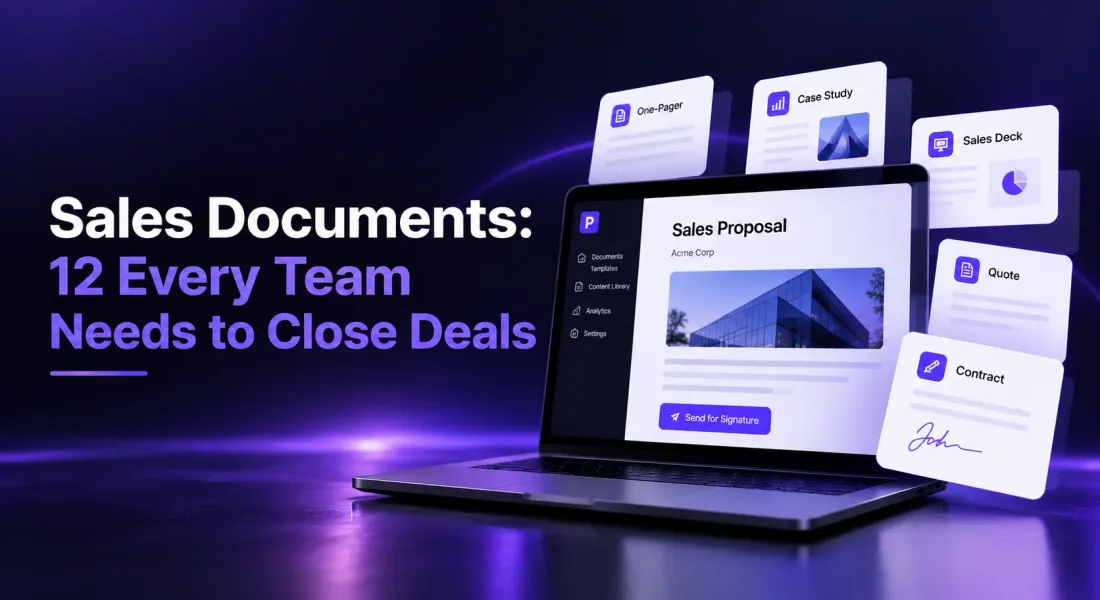
Sales Documents: 12 Every Team Needs to Close Deals
A sales document is any document a sales team uses to move a buyer from first conversation to signed deal: one-pagers, case studies, decks, proposals, quotes, statements of work, contracts and the handover material that follows. Most B2B teams need around 12, grouped by stage.
The problem is rarely a missing document. Ask sales and marketing people what goes wrong and the answers are remarkably consistent: reps keep using whatever old deck is on their laptop, marketing builds collateral nobody opens, and the case study a rep needs never quite exists.
This guide lists the 12 sales documents every team needs, what each sales doc should include and where it usually goes wrong, the internal sales documentation that supports them, and how to keep everything consistent without rebuilding it for every deal.
What Is a Sales Document?
A sales document is a piece of written or visual material created to inform, persuade or formalise a sale. Some are pre-sale documents that educate and build interest. Others, such as proposals, quotes and contracts, turn interest into a commitment both sides can sign.
Sales documents are client-facing. Sales documentation, by contrast, usually refers to the internal material that helps reps sell well: playbooks, battlecards and call guides. Both matter, and we cover both below.
| Stage | Sales documents | Main job |
|---|---|---|
| Prospecting and discovery | One-pager, case study, sales deck | Earn interest and a first meeting |
| Proposal and pricing | Proposal, quote, business case | Win the decision |
| Closing | Statement of work, contract, NDA | Formalise the agreement |
| After the sale | Onboarding plan, QBR deck, renewal proposal | Deliver value and grow the account |
Create every sales document from one content library. Start your first document free.
Why Sales Documents Go Unused
Before building more documents, it is worth understanding why existing ones get ignored. These problems come up again and again when sales and marketing teams compare notes.
Reps Default to Old Versions
If the current deck is hard to find or slow to customise, reps send last year’s version from their desktop instead. The result is outdated pricing and retired messaging in front of buyers.
The lesson from teams that fixed this: making the right document the easiest one to reach matters more than making it beautiful.
Marketing Builds What Sales Did Not Ask For
Marketing teams often describe receiving very specific requests, such as a case study for one industry, size and use case, while their general-purpose brochures go unopened. Sales wants proof that matches the buyer in front of them.
Build fewer, more modular documents that can be tailored quickly, rather than many polished ones that fit nobody exactly.
Nobody Knows What Works
Most teams cannot say which documents buyers actually read. Without that, they keep producing more of the same. Tracking how documents are opened and read turns collateral decisions from opinion into evidence.
Even simple tracking helps: which documents are opened, how far they are read, and which ones appear in deals that close. A quarter of that data usually shows which documents to improve and which to retire.
If You Are Starting From Zero, Build These 3 First
A common piece of advice for teams with no collateral at all is to resist building everything at once. Start with three documents and add the rest as deals demand them.
A one-page problem and value summary. What problem you solve, for whom, and what it is worth. This is the document that gets shared internally after a first call.
One short case study. Even an early pilot or a single happy customer is enough. A specific result from a real client beats any amount of claims.
A one-page “how it works” overview. What happens after a buyer says yes: steps, timeline and who does what. It answers the risk questions that slow late-stage deals.
Prospecting and Discovery Sales Documents
1. Company or Product One-Pager
A single page that explains what you do, who it is for, the problem you solve and the proof that you solve it. It is often the first document a prospect shares internally, so it must make sense without you there.
The common mistake is cramming the whole product onto one page. Pick the one problem your best customers bought for, and lead with that.
These AI prompts for one-pager drafting help you write a tight first version.
2. Case Study
A short story of a customer like the prospect: the situation, what you did, and the measurable result. Keep a few case studies by industry or use case so reps can send the closest match rather than the most famous one.
A one-page format with a clear headline result works better than a long narrative. Buyers skim for “companies like mine got results like this”.
3. Sales Deck
The presentation that frames the problem, your approach and why you are different. Increasingly it gets read rather than presented, so each slide needs a headline that makes its point alone.
Our guide to the sales deck covers the structure.
Proposal and Pricing Sales Documents
4. Sales Proposal
The document that wins the decision: the client’s problem in their words, your approach, scope, timeline, pricing options and proof. It is the most important sales document most teams send, and the one most often rebuilt from scratch.
Because proposals are rebuilt so often, they are also where errors creep in: a previous client’s name, an old price, a case study you no longer use. A shared starting point removes most of that risk.
5. Quote
A clear statement of what the client will pay for what, with line items, totals, validity date and payment terms. For smaller deals it can replace a full proposal.
A tool that lets you create and send quotes from the same content as your proposals keeps prices consistent.
6. Business Case or ROI Summary
A short document your champion uses to sell the purchase internally: the cost of the current problem, the expected return, and the risk of doing nothing. It is written for the person who signs off the budget, not the person you spoke to.
Write it in the client’s numbers wherever possible. A business case built on their own figures is far harder to dismiss than one built on industry averages.
Closing Sales Documents
7. Statement of Work
The detailed definition of deliverables, milestones, responsibilities and acceptance criteria for a specific project. It prevents scope disputes after the deal closes.
You can create and send statements of work from the agreed proposal so nothing gets retyped.
8. Contract or Service Agreement
The legal terms of the relationship: fees, payment schedule, intellectual property, termination and liability. Keep one approved template per contract type, such as a B2B sales contract, and change only the deal-specific details.
Have a lawyer review the template once, then protect it. Most contract problems come from reps editing clauses on the fly.
9. Non-Disclosure Agreement
Often the very first document signed, before confidential information is shared. A short, mutual NDA that takes two minutes to sign keeps early conversations moving; a long one-way agreement invites pushback.
Keep a standard mutual NDA ready so you can send it the same day it is requested. Waiting a week for your own NDA is an avoidable delay at the very start of a relationship.
Sales Documents After the Sale
10. Onboarding or Handover Plan
The bridge between sales and delivery: what was promised, who is involved, the first milestones and how success will be measured.
It stops the client from repeating everything to a new team, which is one of the fastest ways to erode the trust built during the sale.
11. Quarterly Business Review Deck
A regular review of results against goals, used to prove value and spot expansion opportunities. Lead with outcomes the client cares about, not activity you completed.
These AI prompts for QBR presentations give you a structure to start from.
12. Renewal or Expansion Proposal
A proposal that leads with what the client achieved, then presents the renewal or upsell as the next step. Treat it as a new sale with an evidence advantage.
Send it early. A renewal proposal that arrives a few days before the contract ends puts the client under pressure and invites them to look at alternatives.
Internal Sales Documentation Every Team Needs
Client-facing sale documents only work when the team behind them sells consistently. Good internal sales documentation covers four things, and each should be short enough that reps actually use it.
Sales Playbook
Your process from first contact to close: stages, entry and exit criteria, and which document is sent at each stage. Keep it to what a new rep needs in their first month.
A playbook nobody reads is worse than none, because it gives a false sense of consistency. Short, practical and regularly updated beats comprehensive.
Ideal Customer Profile and Personas
Who you sell to, who is involved in the decision and what each person cares about. Update it from real deals, not assumptions.
Include who is not a good fit, too. Knowing when to walk away saves reps more time than any other part of the profile.
Competitive Battlecards
Short, honest comparisons for the alternatives prospects mention most, with the questions that reveal where you fit best. Honest battlecards earn more trust with reps than ones that pretend competitors have no strengths.
Keep each card to one page. Reps use battlecards in the middle of calls or just before them, so the useful information has to be findable in seconds.
Objection Handling Guide
The objections reps hear most and the answers, proof and documents that address each one. Add to it every time a new objection costs you a deal.
Pair each answer with a document or proof point the rep can send. An objection answered with evidence is far more likely to stay answered.
What Every Sales Document Should Have in Common
Whatever the type, the sales documents that work share a few traits. Use these as a checklist before anything goes to a client.
A Clear Purpose and One Next Step
Each sales doc should exist for one reason, such as earning a meeting, winning a decision or formalising terms, and end with one clear next step.
Documents that try to do several jobs at once, such as introducing the company, explaining the product and pricing it, usually do none of them well.
The Client’s Language, Not Yours
Describe the problem the way the client described it. Internal jargon and product names mean nothing to a buyer who has never used them.
The easiest source is your own call notes. The phrases the client used to describe their problem are the phrases their colleagues will recognise.
Proof Close to Every Claim
Put the case study, result or customer quote next to the claim it supports, not in an appendix nobody reaches.
A claim without nearby proof reads as marketing. The same claim next to a specific customer result reads as fact.
Consistent Brand and Facts
The same logo, colours, prices and names across every document. A buyer comparing your quote with your contract should never find two different numbers.
Inconsistencies make buyers wonder which number is right, and that doubt slows decisions. One shared source for prices and names prevents it.
Readable Without You
Most documents get shared with people who were never on the call. If a section only makes sense with you explaining it, rewrite it.
A quick test: give the document to a colleague who was not on the call and ask them to explain the offer back to you. Wherever they get stuck, the client’s colleagues will too.
How to Keep Sales Documents Consistent
Consistency is where most teams struggle. Every rep copies the last document they sent, edits it, and passes on whatever was out of date. Within a quarter, nobody knows which version is current.
Use One Source for Reusable Content
Keep services, pricing, case studies, team bios and boilerplate in one maintained library. The Smart Content Library in Proposal.biz extracts all of it from your website URL, so every document starts from the same current facts.
Template the Structure, Not the Content
Fix the order of sections and the design, then fill each document with content specific to the client. A template full of old client names is a liability.
The structure is what you want to repeat; the content is what makes each document persuasive. Keeping them separate lets you do both well.
Review Your Core Documents Every Quarter
Check pricing, case studies and product claims in your most-sent documents every quarter. Retire anything that is out of date instead of leaving it for reps to find.
Paste your URL and every sales document starts with your current brand, pricing and proof. Start free.
Assign an owner for each core document. Shared ownership usually means no ownership, and outdated material survives for years.
How to Create Sales Documents Faster
Most of the effort behind a sales document goes on assembly: finding the latest case study, copying pricing, fixing layout. That is also exactly the work that tempts reps to reuse old files.
With Proposal.biz, you paste your website URL to build your content library, then generate any sales document from a prompt, such as “Proposal for a 50-person logistics company, three pricing options, case study from a similar client”. Refine it in the drag-and-drop editor, share it as a trackable link, see when the client opens it, and collect the signature in the same window.
Because every document draws on the same library, a proposal, quote, SOW and contract for the same deal all carry the same prices, names and terms.
Final Word on Sales Documents
The right sales documents, kept consistent and sent at the right stage, shorten every deal. Start with the four that carry the most weight (one-pager, proposal, quote and contract), make sure they all draw on the same content, and make the current version the easiest one for reps to reach.
Then measure what happens after you send them. A document that is opened and read through to pricing tells you more than any forecast. Plans, including a free plan, are on the pricing page.
FAQs About Sales Documents
What Are the Most Important Sales Documents?
For most B2B teams, the one-pager, sales proposal, quote and contract carry the most weight. They cover first interest, the decision, the price and the formal agreement.
What Is the Difference Between Sales Documents and Sales Documentation?
Sales documents are client-facing, such as proposals, quotes and contracts. Sales documentation usually means internal material such as playbooks, battlecards and objection guides that help reps sell consistently.
Which Sales Documents Should a New Company Create First?
Start with three: a one-page problem and value summary, one short case study (even from a pilot) and a one-page overview of how working with you works. Add the rest as deals demand them.
Why Do Sales Reps Keep Using Outdated Documents?
Usually because the current versions are harder to find or slower to customise than the old file on their laptop. Make the up-to-date version the easiest one to reach and edit.
Should Sales Documents Be Sent as PDFs or Links?
Links are usually better for client-facing documents. They open on any device, always show the latest version, and show you when the client has opened them.

Ronak Surti
 Ronak Surti
 ![[Stop Wasting Time] A Properly Structured BRD Can Save Your Software Projects](/_astro/How-to-write-BRD.Aqx8EpxY_1tfOOf.webp)
 Dimple Maru