Project Management

Project Status Update Presentation Template

Give a quick, clear project status update with a short presentation covering where things stand, blockers, and what you need next from the team this week.

Template preview
Scroll to explore

Project Status Update Presentation Template

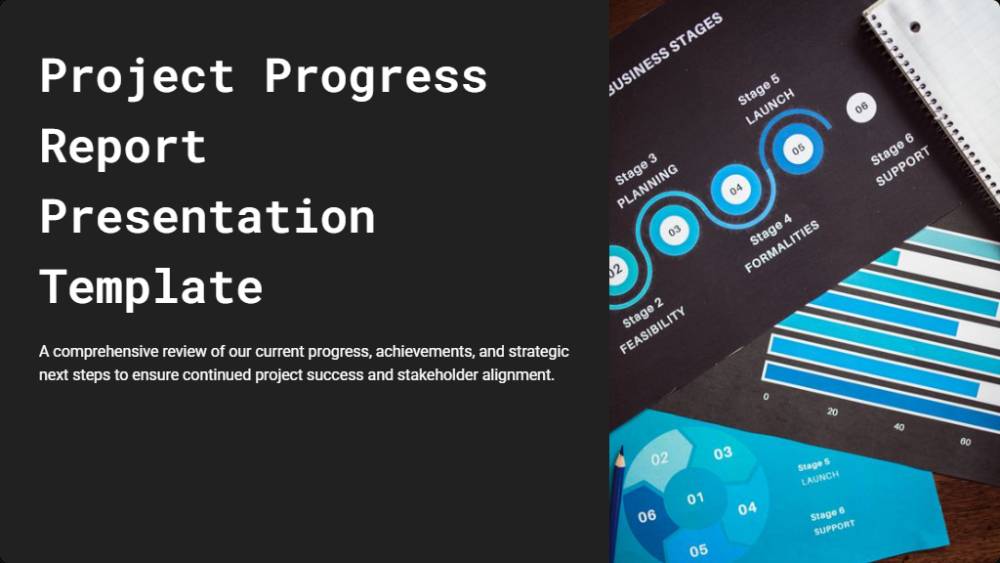
A comprehensive overview of our current progress, key achievements, and strategic next steps, focused on maintaining and enhancing project success.
Objectives and Strategic Timeline
  • Primary Goal: Achieve comprehensive digital transformation and process streamlining across key operations.
  • Project Timeline: Initiated January 2024, currently in the critical Development & Testing phase.
  • Expected Completion: March 2025, targeting significant and measurable ROI.
  • Dedicated Team: A robust 12-member cross-functional team, led by experienced technical specialists.
Significant Milestones Achieved
1
March 2024
**Requirements Gathering** completed, establishing a solid foundation.
2
June 2024
**Infrastructure Setup** finalized, providing a robust operational backbone.
3
September 2024
**Alpha Testing** successfully concluded, validating core functionalities.
We are proud to report 78% project completion, currently tracking ahead of our initial schedule.
Current Status & Active Workstreams
  • Beta Testing: Actively engaging 50+ users across three key departments for comprehensive feedback.
  • API Integration: Finalizing critical API connections to ensure seamless system integration.
  • Team Engagement: Maintaining 95% team engagement in resource deployment, ensuring efficient progress.
Identified Challenges & Proactive Mitigation
Key Risks Encountered
  • Third-party integration delays: Potential bottlenecks from external dependencies.
  • Resource availability: Ensuring adequate skilled personnel for critical tasks.
  • Scope creep: Managing evolving requirements to stay within project boundaries.
Strategic Solutions Implemented
  • Dedicated Vendor Liaison: Proactive communication and management with third-party providers.
  • Cross-training Initiatives: Enhancing team flexibility and reducing single points of failure.
  • Change Control Board: Formal process for evaluating and approving scope adjustments.
Critical Upcoming Tasks & Milestones
1
November 15-30
**User Acceptance Testing (UAT):** Final validation by end-users.
2
December 10-20
**Production Deployment:** Go-live of the new system.
3
January 2025
**Training & Support:** Comprehensive user training and ongoing assistance.
Key dependencies include successful completion of the security audit and infrastructure approval.
Key Metrics & Data-Driven Insights
Our project performance remains strong, demonstrating efficiency and high quality across critical indicators.
928596020406080100Budget UtilizationQuality ScoreStakeholder Satisfaction
PercentageProject Performance Overview
Velocity metrics consistently show stable progress, affirming our team's resilience and effectiveness even when navigating challenges.

Strong Momentum & Collaborative Future

We maintain strong project momentum with 78% completion, demonstrating our commitment to achieving digital transformation. Your continued support is vital for our final push.
To ensure timely completion, we kindly request expedited security audits and additional resources for user adoption.

Trusted by 1,100+ businesses that sell expertise

Evoke Strategy
Uffizio
Charge&Go
Aktiv
Story99
Scribd
Prolexity
Hero
Accenture
Vyapar
Storyboard Films
Infosys
TCS
FinoWorks Technologies
Growlity
Evoke Strategy
Uffizio
Charge&Go
Aktiv
Story99
Scribd
Prolexity
Hero
Accenture
Vyapar
Storyboard Films
Infosys
TCS
FinoWorks Technologies
Growlity

Project Status Update Presentation Template Overview

A status update only works if people can absorb it in a few minutes and know what is being asked of them. This project status update presentation template gives you ready sections for overall status, recent progress, blockers, and the decisions or help you need, so the update is short and actionable. Built as a reusable status update template, it keeps weekly check-ins quick instead of turning them into long meetings.

The deck generates in your branding and is quick to refresh each week. Present it in a short stand-up or share one link ahead of time, so everyone arrives knowing the status and the meeting can focus fully on decisions.

What's Included

Everything you need to create a professional proposal

Professional Design

Fully Customizable

Ready to Use

Mobile Responsive

How to Use This Template

Get started with your professional proposal in just a few simple steps

1

Choose Template

Select this template and click "Use template for free" to get started

2

Customize Content

Fill in your details, add your branding, and tailor the content to your needs

3

Send & Track

Send your proposal to clients and track when they view and approve it

Who Benefits From Project Status Update Presentation Template?

Team leads and project managers get the most from an update that is short, clear, and easy to act on.

Team Lead

Give a clear weekly update in minutes, instead of a long recap that loses the room halfway through.

Project Manager

Flag blockers and decisions needed up front, so stakeholders know exactly how they can help move things forward.

Department Head

Scan the status of several projects quickly, without sitting through a long presentation for each one in turn.

Executive Sponsor

Get a short, honest read on where a project stands, with the help needed called out clearly and early.

Frequently Asked Questions

Everything you need to know about using this template

It should include the overall status, recent progress, blockers, and the decisions or help you need. A status update template gives you these sections ready to fill in, so the update stays short and easy to act on.
Yes. Generate the first draft from a short prompt, then use AI to rewrite, tighten, or restructure any section in seconds.
Open with the overall status, summarise recent progress, then close with blockers and what you need from others. A short structure like this keeps the update useful, not exhausting.
Fully. This presentation is editable end to end in the drag-and-drop editor, so you can add, remove, or reorder slides to match how your team reports.
Yes. Add your own progress notes, blockers, and next steps straight into this presentation template, then adjust the wording each week.
Yes. Your logo, colours, and fonts are pulled from your website and applied automatically, so the deck looks on-brand without any manual design.

Keep every check-in short and useful

Start from a ready status layout and fill in only what matters, instead of writing a long recap every week.
Free forever.
No credit card.